

Installation
Crawler.Companion does not require a traditional installation. Download the .exe file from the Hub and run it directly.
-
Hub login → Software
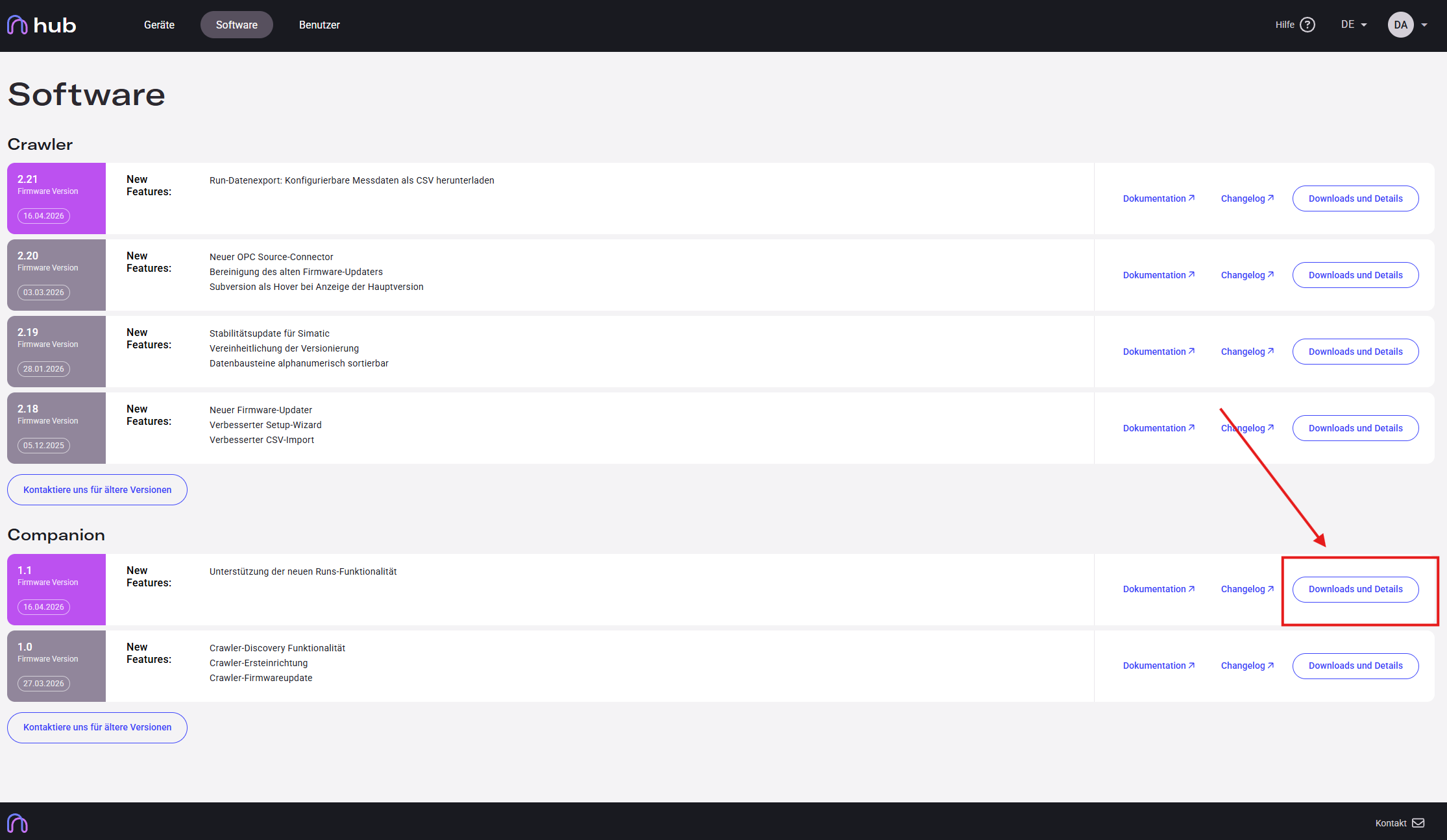
Log in at hub.invisyne.com and navigate to the Software section. Locate the Companion version you want to use and click Downloads und Details.
-
Download the file
On the version detail page, click the Download button on the right side. A ZIP archive (e.g.
crawler.companion-v1.2.0.zip) will be saved to your computer.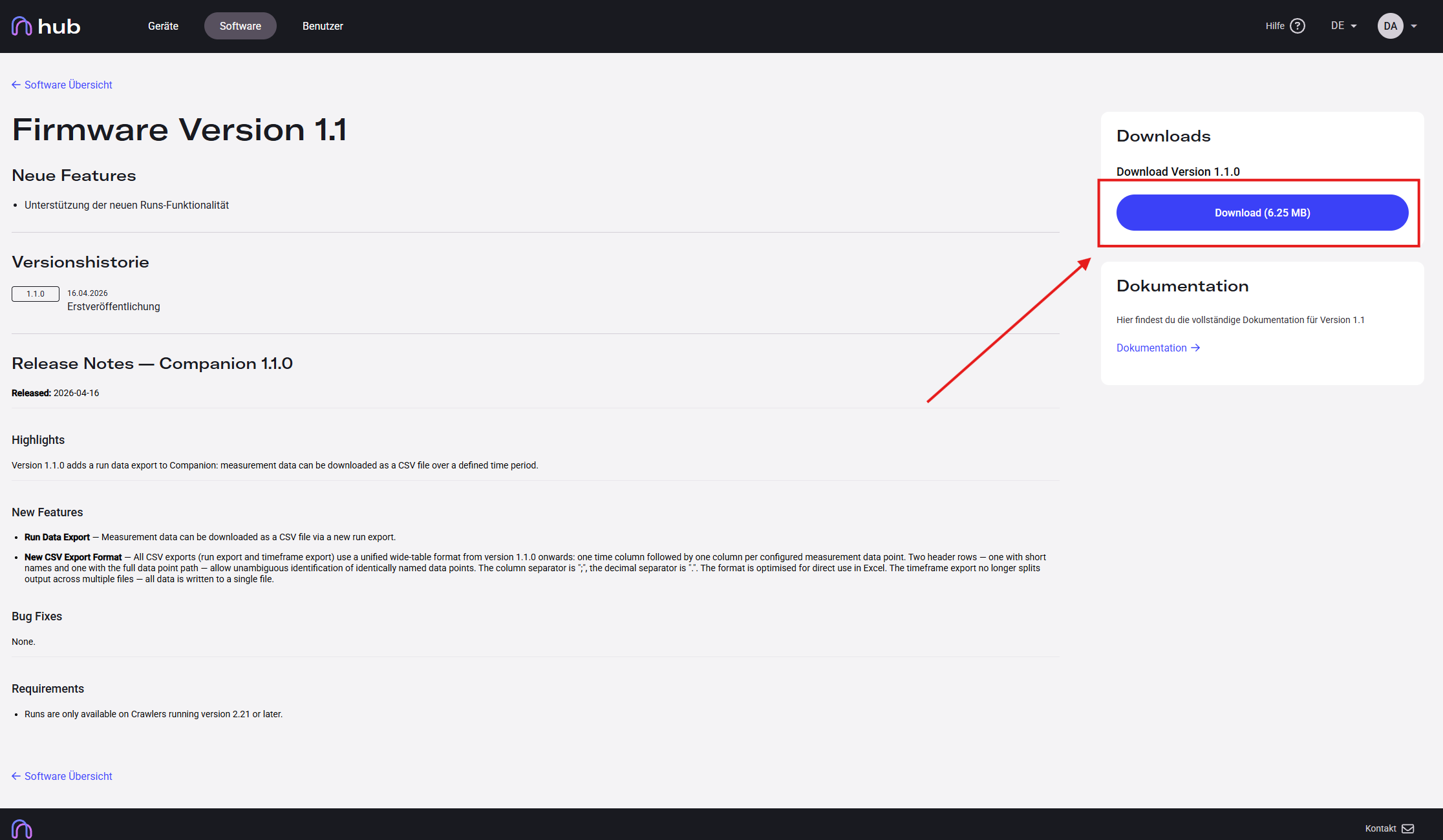
-
Extract and run
Extract the ZIP archive and double-click the
.exefile inside.
-
On Windows: confirm the security prompt
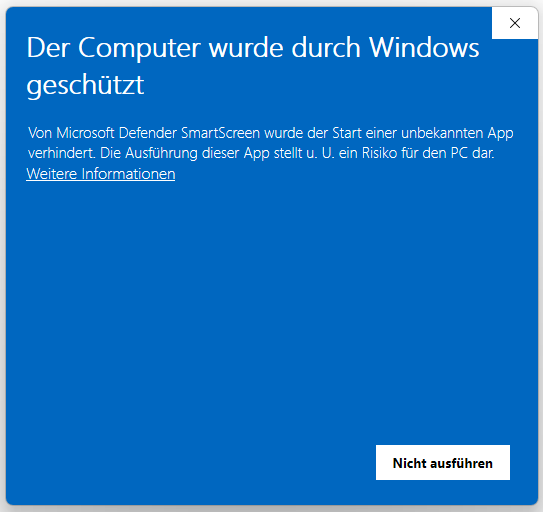
Windows SmartScreen may block the launch. Click Weitere Informationen (More info).
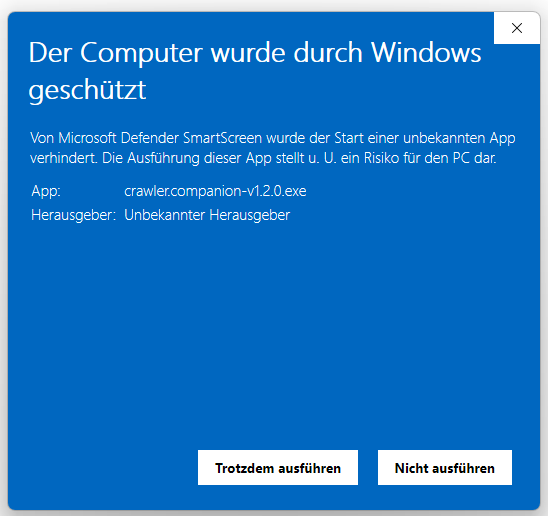
Then click Trotzdem ausführen (Run anyway).
-
Companion opens
Crawler.Companion is now running.