

Dataset modes
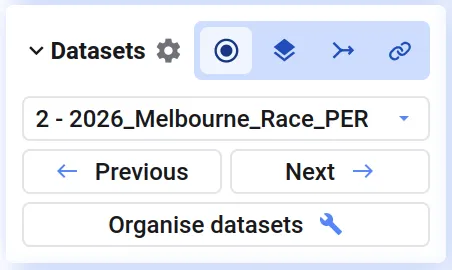
When you visualize more than one data set in a project, you choose how those data sets work together — the dataset mode. You pick a mode when visualizing multiple data sets from the library, and can change it at any time from the bottom-left corner of the analysis page.
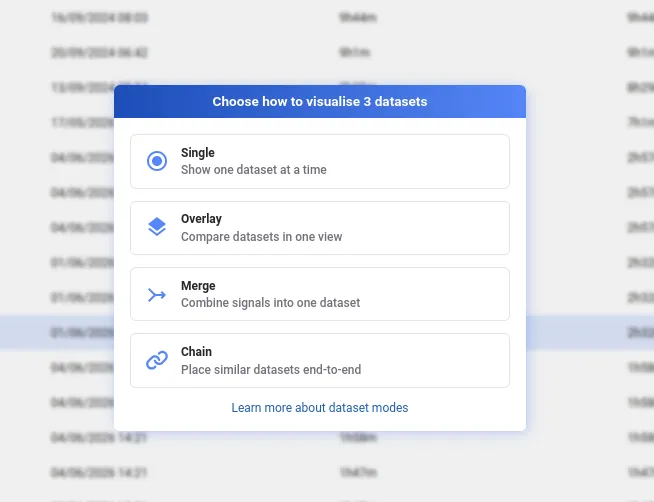
- Single — show one data set at a time and switch between them
- Overlay — draw multiple data sets on top of each other in the same plots to compare them
- Merge — combine the signals of multiple data sets into one
- Chain — place multiple data sets end-to-end on the time axis to form one continuous recording
If you already have data loaded, you can choose to append newly selected data sets and continue in the same mode, or start a new session with only the newly selected data sets in a different mode.
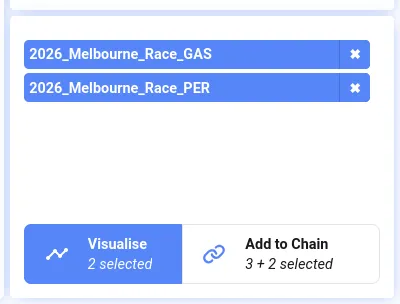
Choose a dataset mode
Section titled “Choose a dataset mode”Select multiple data sets in the library and click Visualise — a dialog opens where you pick the mode. Selecting a single data set opens it directly in Single mode.
Change the mode later from the Datasets section at the bottom-left of the analysis tab, or press i to open the Organise Datasets dialog.
Which mode should you use?
Section titled “Which mode should you use?”- Single — when you mostly look at one data set at a time but want quick access to the others in your project
- Overlay — to compare the same signals across different runs or machines
- Merge — when one recording is split across multiple data sets and you want all their signals available together (e.g. combining a sensor feed with a separate log)
- Chain — for consecutive recordings of the same setup that you want to view as one continuous timeline