

Export
The Export tab lets you export measurement data from an Edge device — either as a CSV file or directly to Deepview. Select a device in the list and click the Export tab in the detail panel.
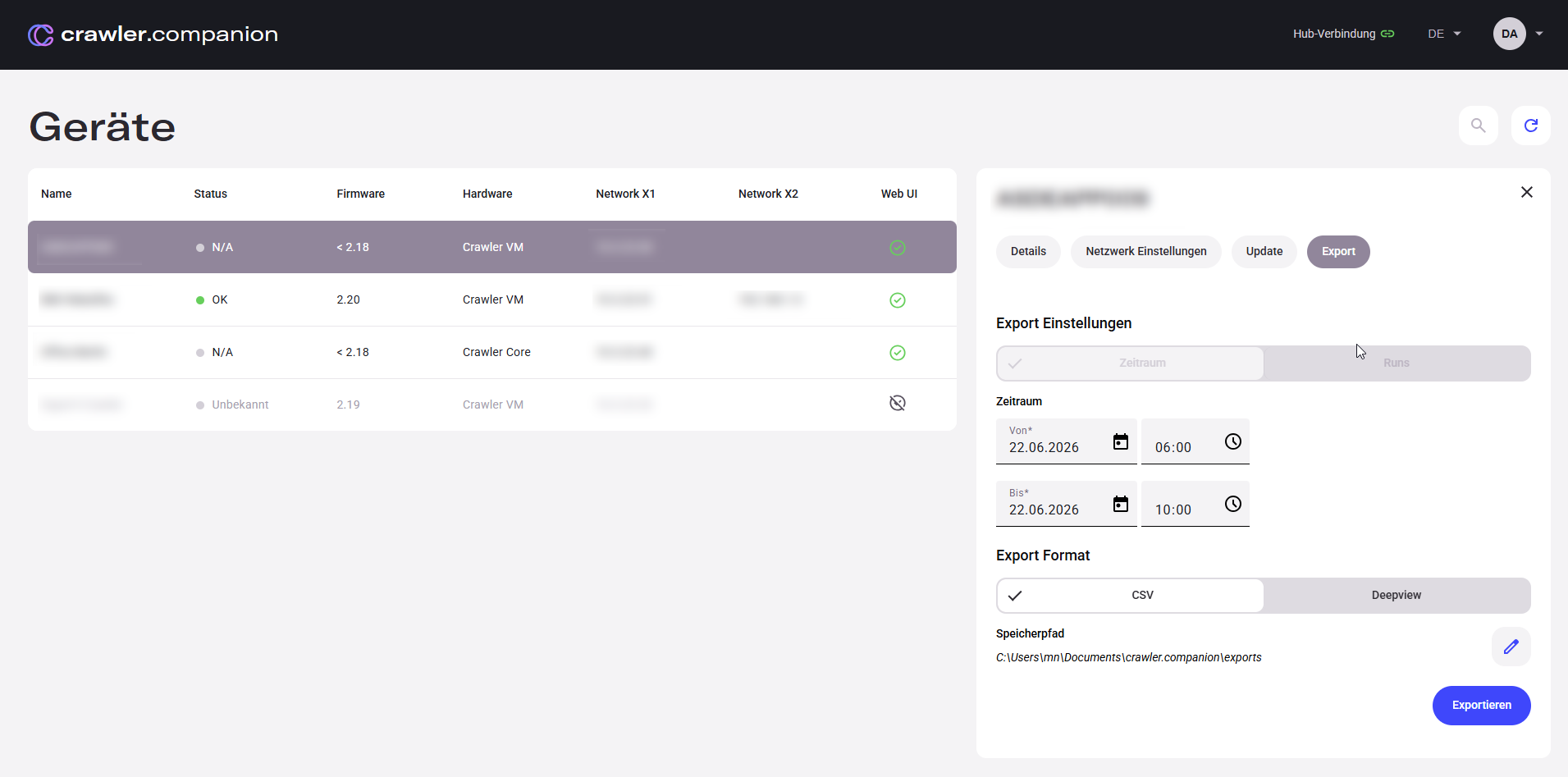
| Field | Description |
|---|---|
| From | Start date and time of the export range. |
| To | End date and time of the export range. |
| Export Format | Choose between CSV (saved as a file) or Deepview (opens directly in the browser). |
| Save path | Save location for CSV exports. Click the pencil icon to change the folder. |
| Export | Starts the export with the selected settings. |
| Field | Description |
|---|---|
| Run list | All completed measurement sessions stored on the device, with start time, end time, and duration. Select one or more runs to export. |
| Export Format | Choose between CSV (each run saved as a separate file) or Deepview (opens directly in the browser). |
| Save path | Save location for CSV exports. Click the pencil icon to change the folder. |
| Export | Starts the export with the selected settings. |
For a step-by-step guide, see Export Data.