

Language selection
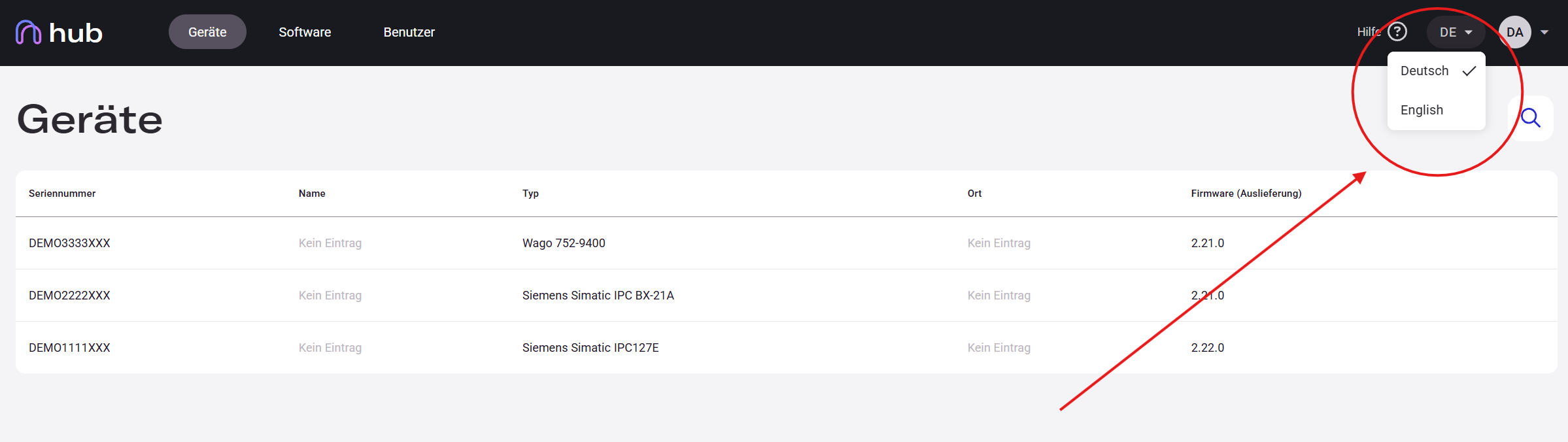
Hub is available in English and German. You can switch the language at any time using the language selector in the top-right corner.
The language selection applies to the current browser session only. It is not tied to your account and will reset on the next login.
Switching the Language
Section titled “Switching the Language”- Click the language button (e.g., DE or EN) in the top-right corner of the interface.
- A dropdown appears with the available languages.
- Select your preferred language — the interface switches immediately.
The language change takes effect right away across all menus, labels, form fields, and messages.