

Resampling
In many Deepview features, multiple signals must be combined: in functions, scatter plots, tables, filters, and more. When these signals have different time bases, it becomes hard to know which data points from signal A correspond to which data points from signal B.
Some tools don’t allow you to combine signals with different time bases. In Deepview, this is solved by resampling the signals.
When multiple signals must be combined, you can select how it’s done:
off— don’t resample, only use the original timestampsauto— resample using a dynamic frequency that depends on the underlying signals and the database connection typeon— resample using a selected frequency
Resampling off
Section titled “Resampling off”When using off, all signals are joined on their exact timestamp. If all signals have data points with exactly matching timestamps (down to the nanosecond), the resulting signal also has a data point at those timestamps. Data points with a timestamp that doesn’t occur in all original signals are ignored in the resulting signal.
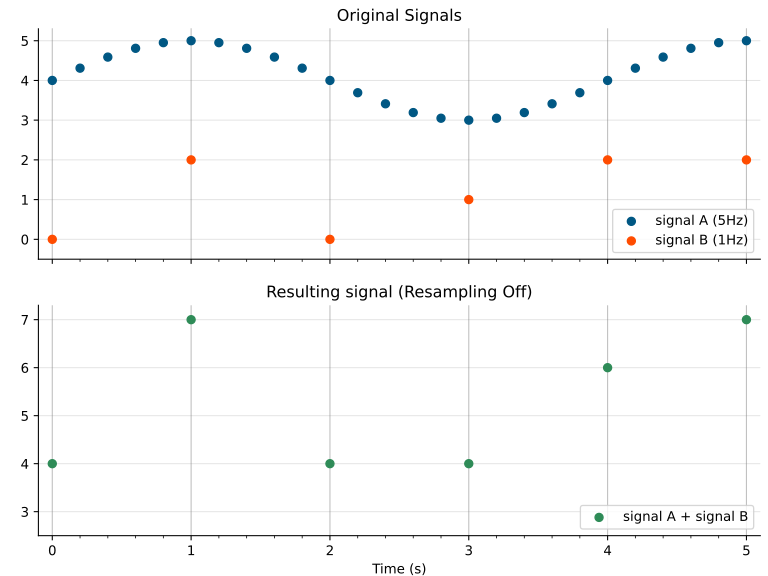
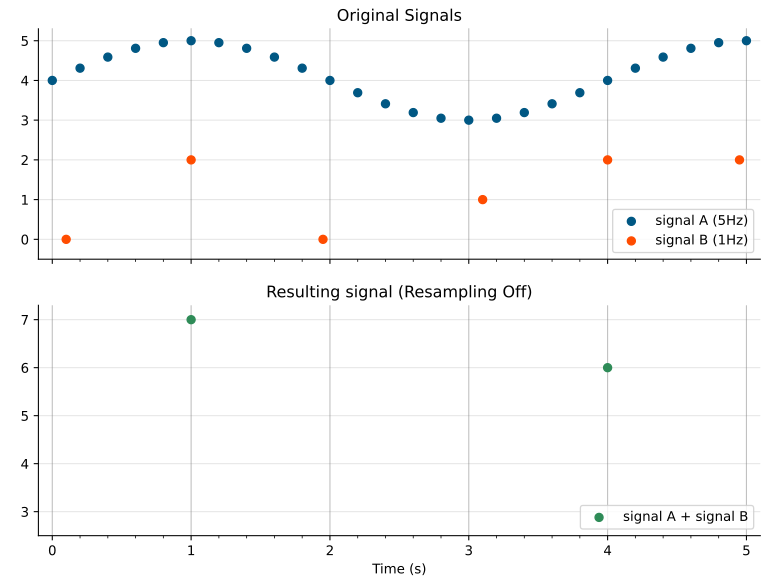
Benefits:
- Exact timestamps are preserved
- Faster than
onorauto
Only use off when you’re sure all signals have the exact same time base — otherwise you risk losing data.
Resampling auto
Section titled “Resampling auto”auto is essentially the same as on, but with a dynamic selection of the frequency (see Resampling on below). Which frequency is used depends on whether the database connection implements upsampling — the maximum of the underlying frequencies is used when upsampling is supported, and the minimum otherwise.
Resampling on
Section titled “Resampling on”When using on (or auto), the input signals are sampled at the selected frequency to build the output signal.
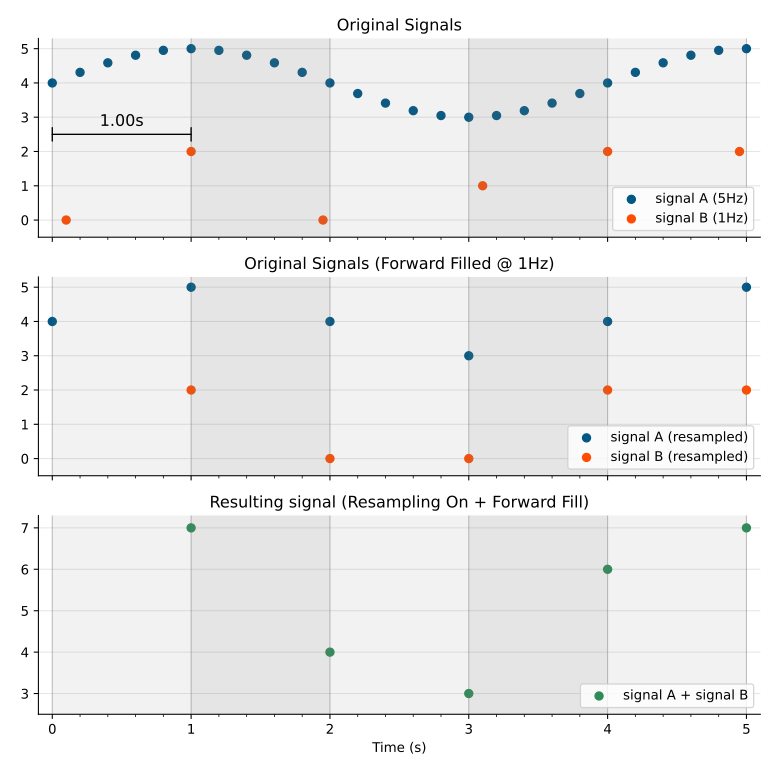
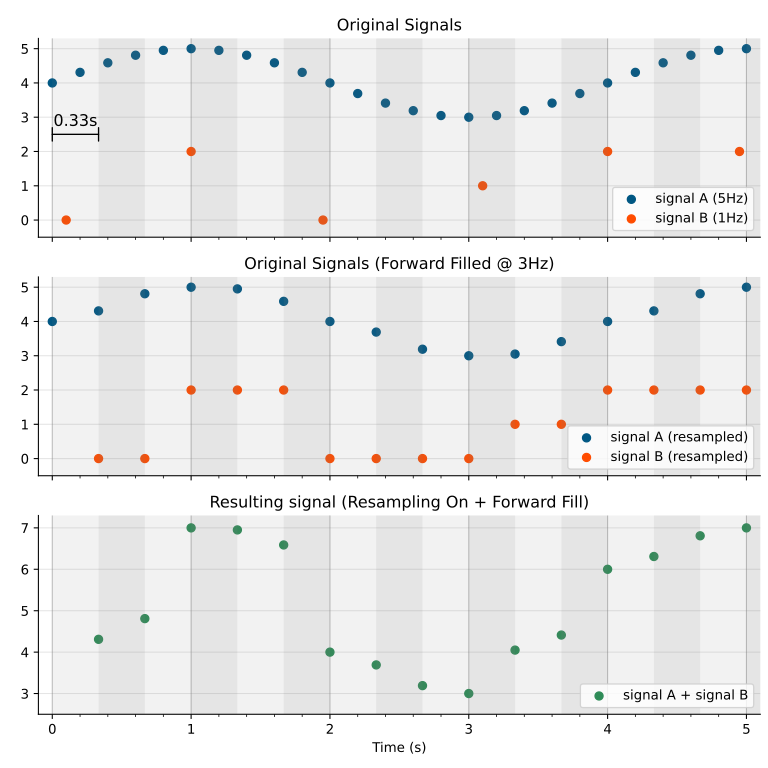
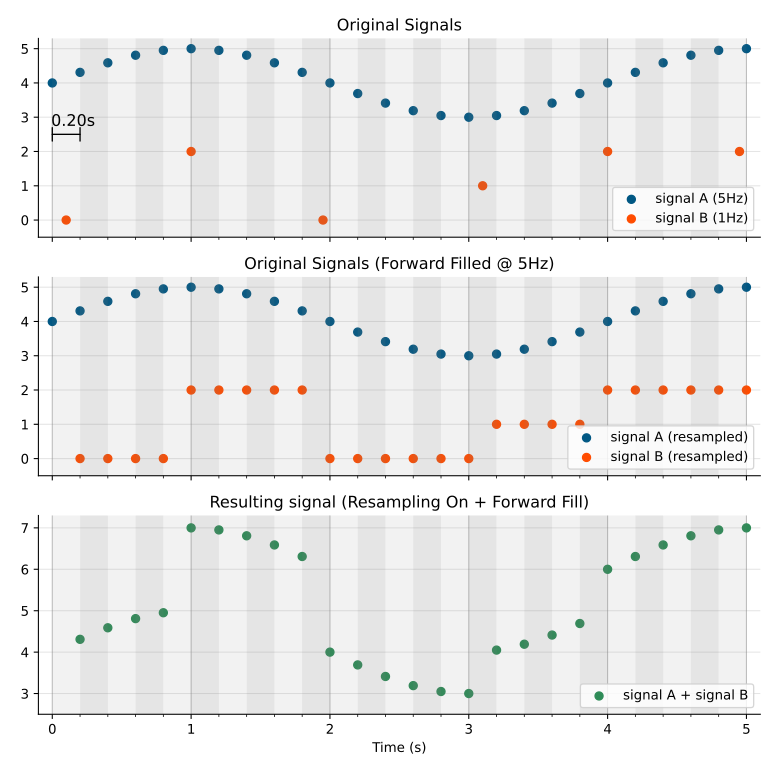
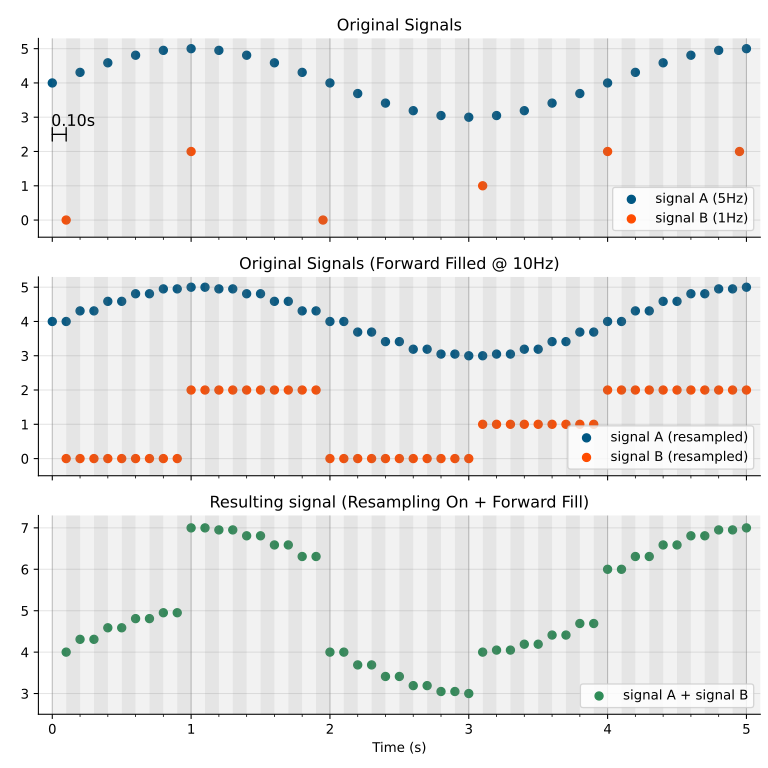
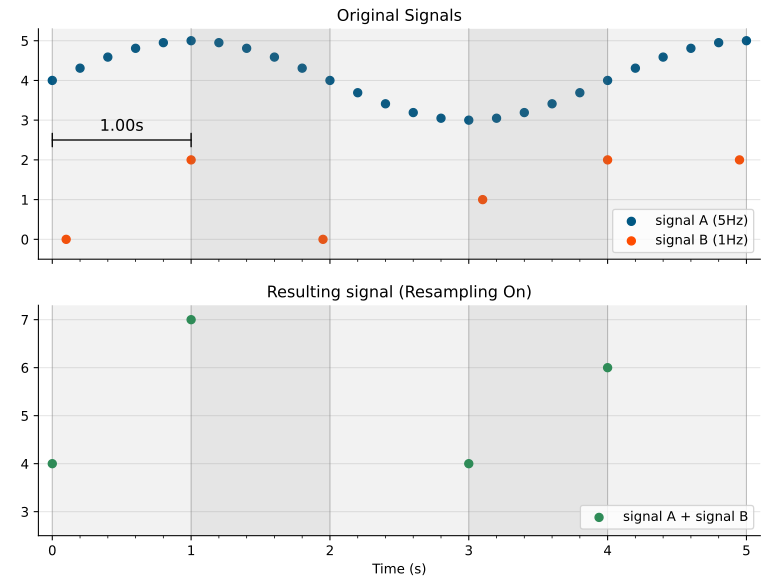
To do this, the time range is divided into buckets (bins) of width 1/frequency seconds. Within each bucket, the first data point is selected and given a new timestamp: the start time of the corresponding bucket. This ensures all signals have matching timestamps, so Deepview knows which data points to combine in the resulting signal.
Because data is aggregated per bucket, timestamps can shift slightly (by at most one period).
The exact algorithm works slightly differently depending on your connection.
Upsampling implemented
Section titled “Upsampling implemented”For the most commonly used database connections, the algorithm first upsamples the signals to a common time axis by forward-filling missing data at the specified frequency. The upsampled signals, now on a common time axis, are then combined into the resulting signal as explained above. The highest frequency is selected when using auto.
Forward fill ensures no data is invented, and integer signals remain integers.
The figures below show what happens depending on the selected frequency:
Upsampling not implemented
Section titled “Upsampling not implemented”For some less commonly used database connections, upsampling isn’t yet implemented, and resampling uses the raw signal data instead. For these connections, auto automatically uses the lowest frequency — setting a higher frequency won’t result in more data.
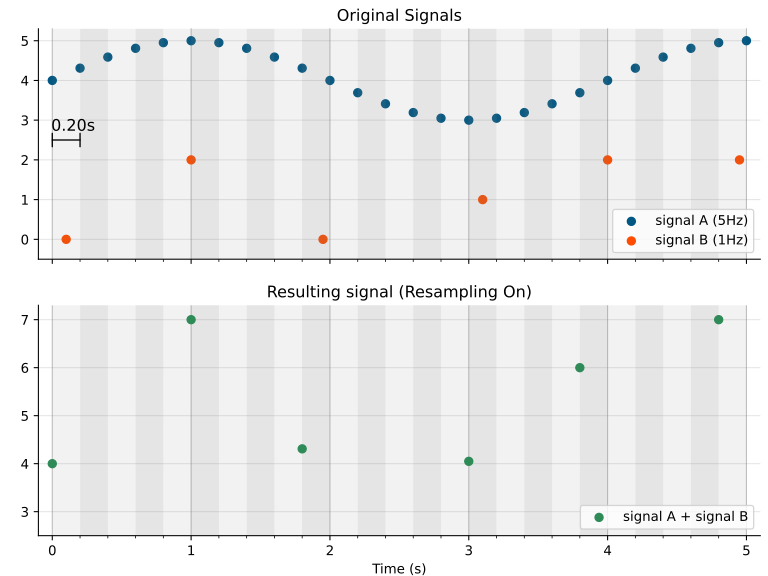
Selecting the right frequency
Section titled “Selecting the right frequency”In most cases, it’s best to let auto determine the optimal frequency. In the following cases, it makes sense to deviate from this:
- All your data has the exact same timestamp (e.g. it comes from CSV files or the same group within an MDF file) — it’s safe to use
off - You have a very complex plot with many functions and/or filters that takes a while to load, and you’re interested in a quick insight rather than exact data — decrease the suggested frequency; you might lose some data, but the plot loads faster