

List of Edge Devices
The device list is the main view of Crawler.Companion. It shows all Edge devices discovered on the local network, including unconfigured devices.
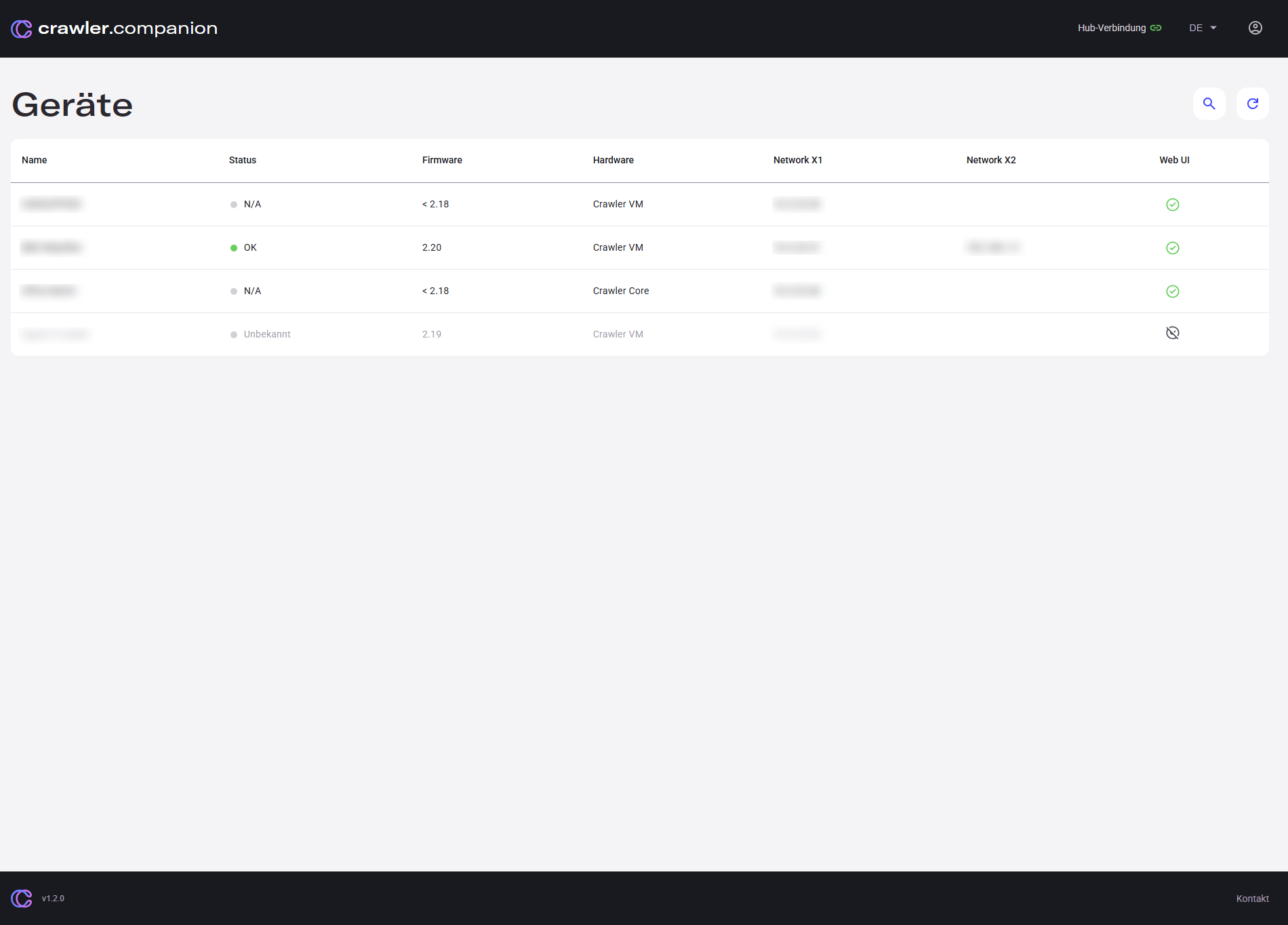
| Column | Description |
|---|---|
| Name | The device name as configured on the Edge device. |
| Status | Current operational state of the device. |
| Firmware | Installed firmware version. |
| Hardware | Hardware platform, e.g. Crawler VM, Crawler Core, SIEMENS IPC127E. |
| Network X1 | IP address of the X1 network adapter. |
| Network X2 | IP address of the X2 network adapter, if present. |
| Web UI | Indicates whether the device’s web interface is reachable. Click the icon to open it in the browser. |
Each device shows a colored status dot in the Status column.
| Status | Color | Meaning |
|---|---|---|
| OK | Green | Device is reachable and fully operational. |
| Einrichtung erforderlich | Purple | Device is new and has not been set up yet. |
| N/A | Gray | Device is running an outdated firmware version and does not report a status. |
| Unbekannt | Gray | Device was discovered but its state cannot be determined. |
The device list provides the following actions:
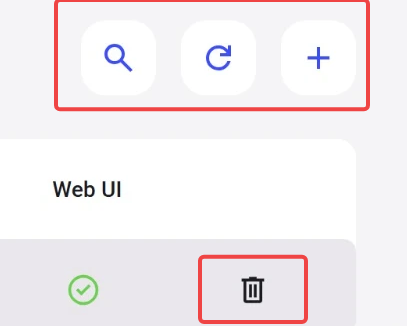
| Icon | Action |
|---|---|
| Magnifying glass | Filter the device list by search term. |
| Circular arrow | Manually rescan the network for devices. |
| Plus 1.5+ | Add an Edge device manually by IP address or hostname. Requires Edge firmware 2.24 or later. |
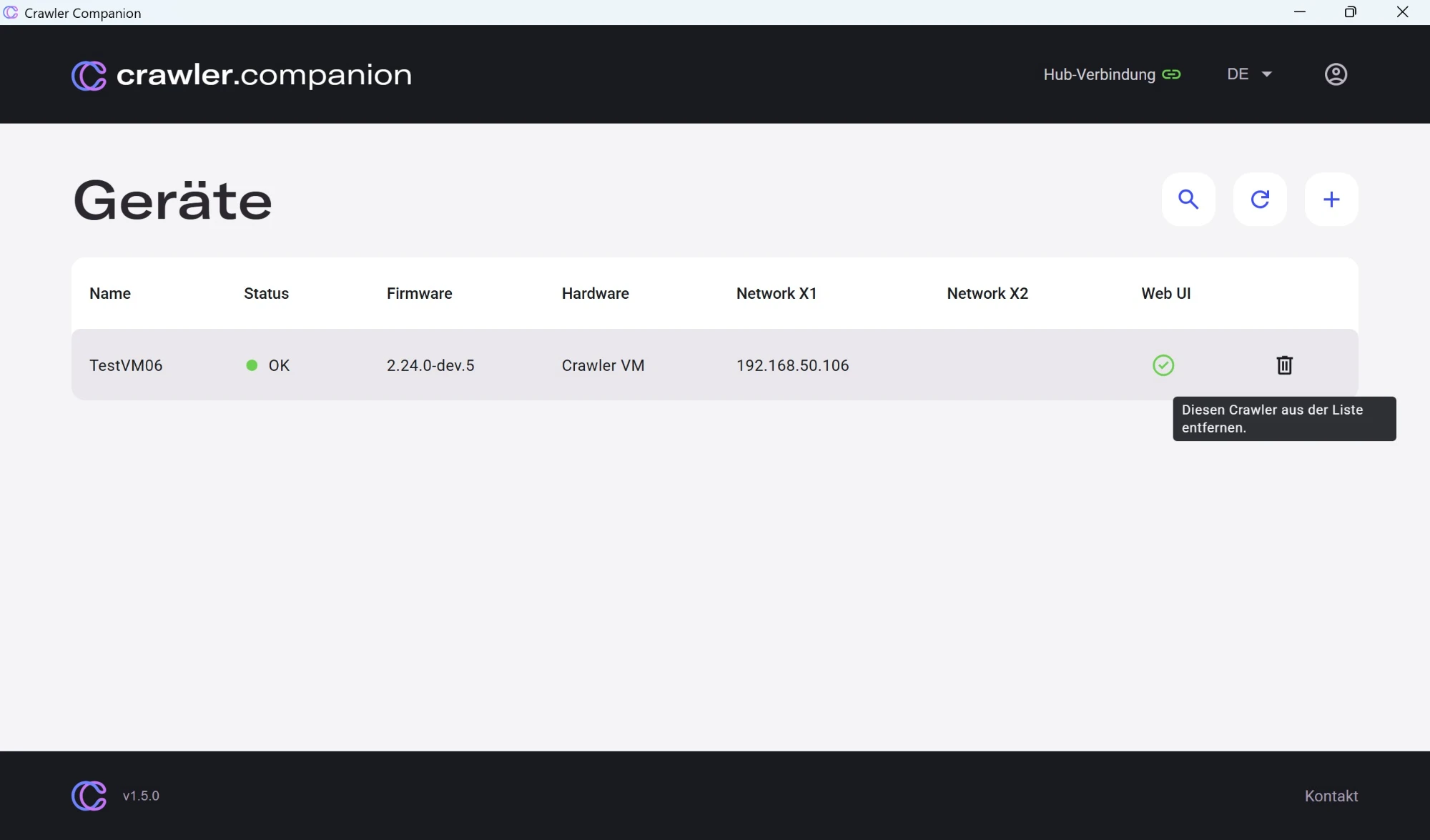
| Trash 1.5+ | Remove the device from the list. Shown at the end of the device’s table row, only for manually added devices. |
Clicking any row in the list opens the Device Detail Panel.
Adding a Device Manually 1.5+
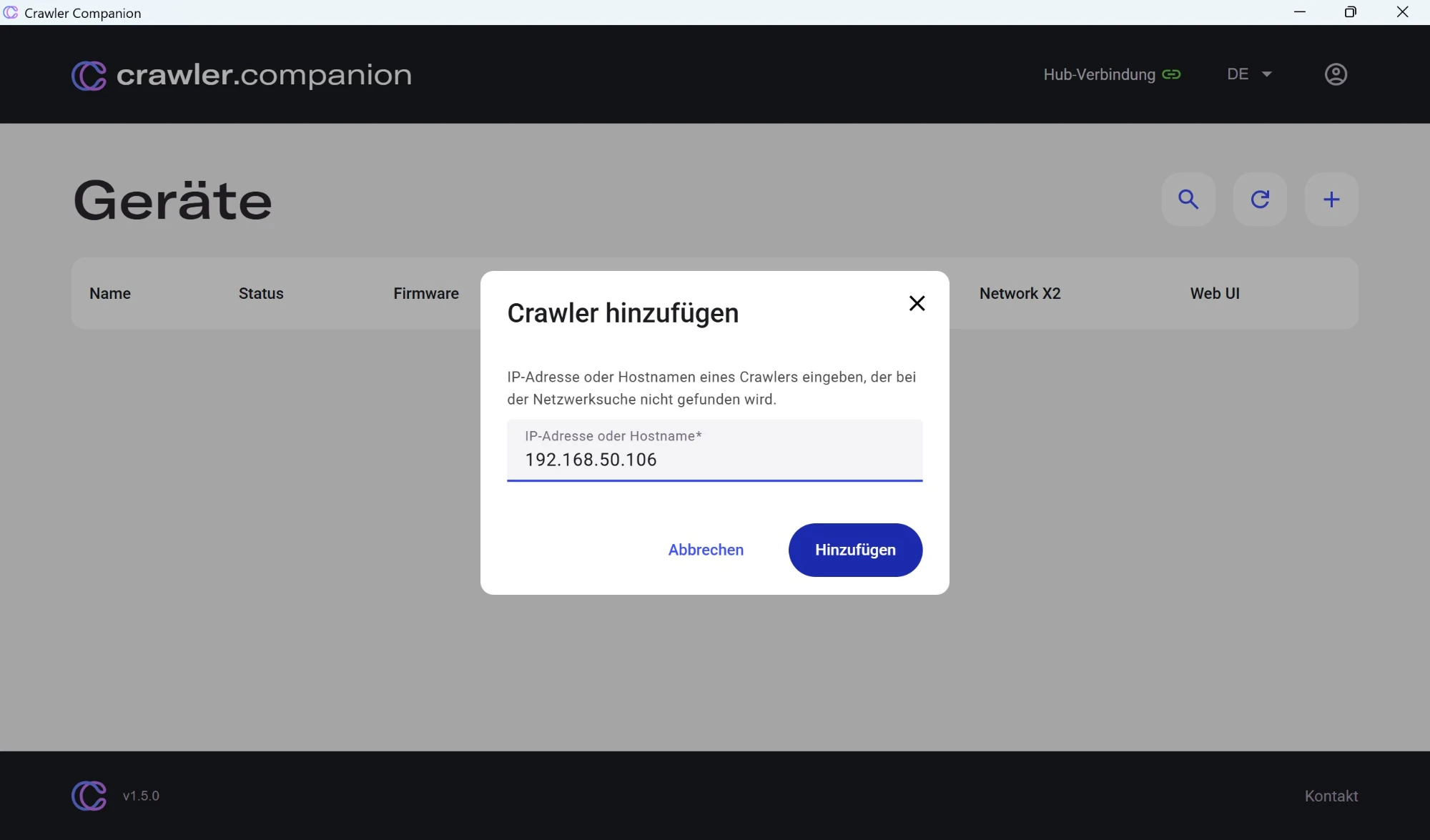
Section titled “Adding a Device Manually ”If an Edge device is not found by automatic network discovery — for example because it is on a different subnet — you can add it manually by IP address or hostname. This requires Edge firmware 2.24 or later.
Click the + button in the top-right corner of the device list.
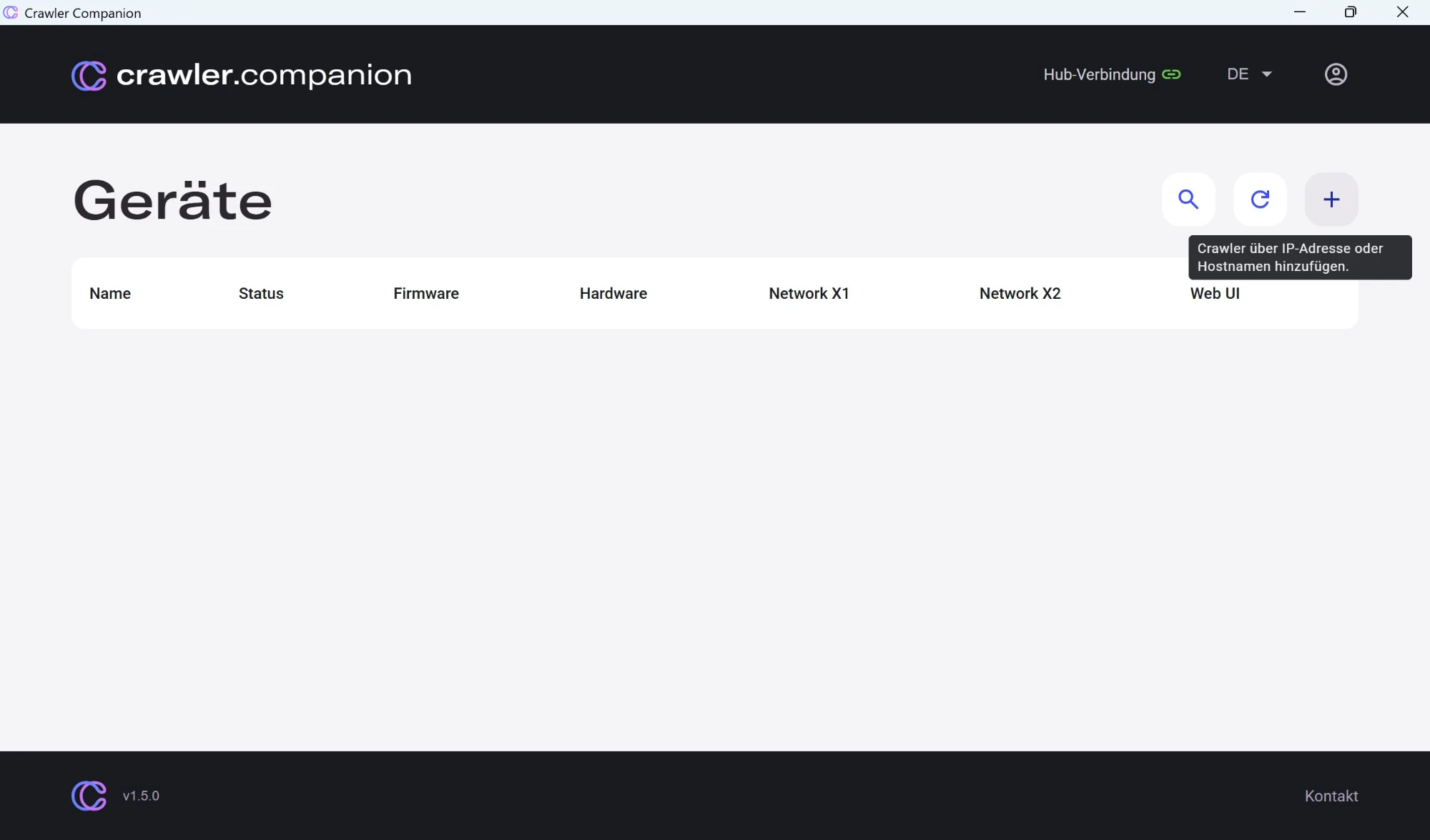
Enter the IP address or hostname of the Edge device and click Add.
Manually added devices persist across application restarts. A device is removed from the list when you click its trash icon, or automatically when it is no longer reachable.