

Material Tracking
The measurement page of a device (Recording → Devices → Device name) contains three tabs: Messgrößen, Runs, and Materialverfolgung.
Material Tracking provides end-to-end traceability of workpieces through defined zones and stations in a manufacturing process.
Configuration Overview
Section titled “Configuration Overview”The left sidebar lists all configured process definitions. Clicking a process definition expands it to show the sub-entries Konfiguration and Aufzeichnungen. The configuration view lists all zones/stations of the process definition.
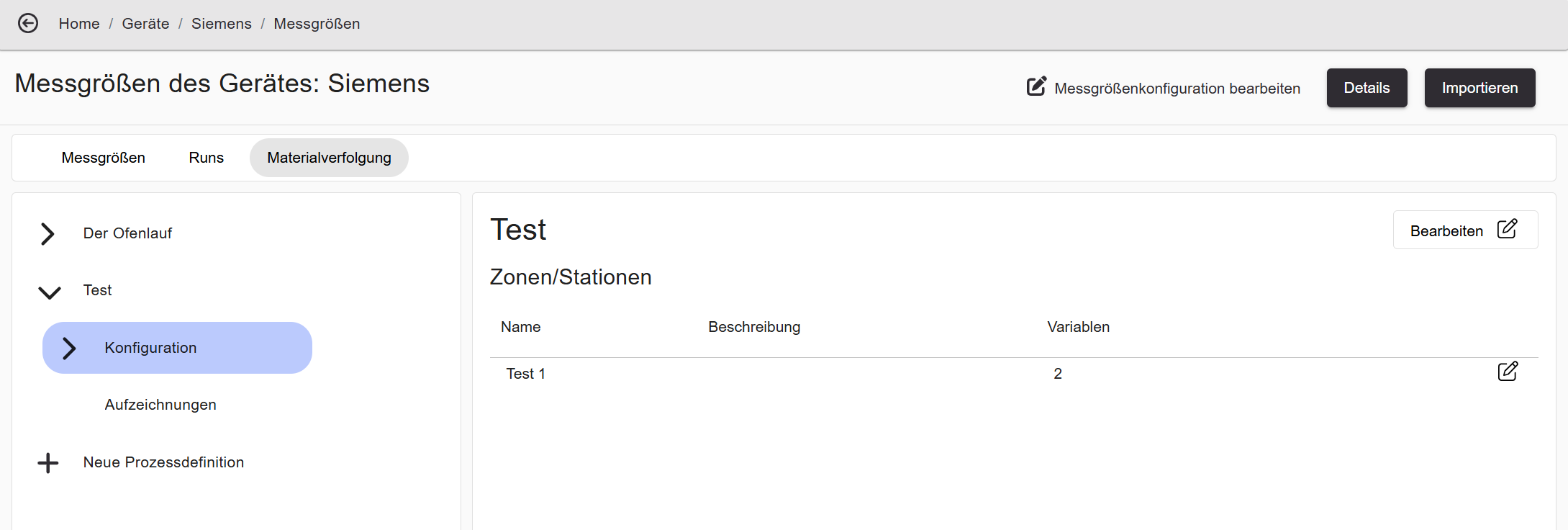
| Column | Description |
|---|---|
| Name | Name of the zone/station. |
| Description | Optional description. |
| Variables | Number of configured variables (trigger + measurements). |
Edit in the top right opens the process definition edit wizard. + Neue Prozessdefinition creates a new process definition.
Station Detail View
Section titled “Station Detail View”Clicking a zone/station in the sidebar shows its variable table.
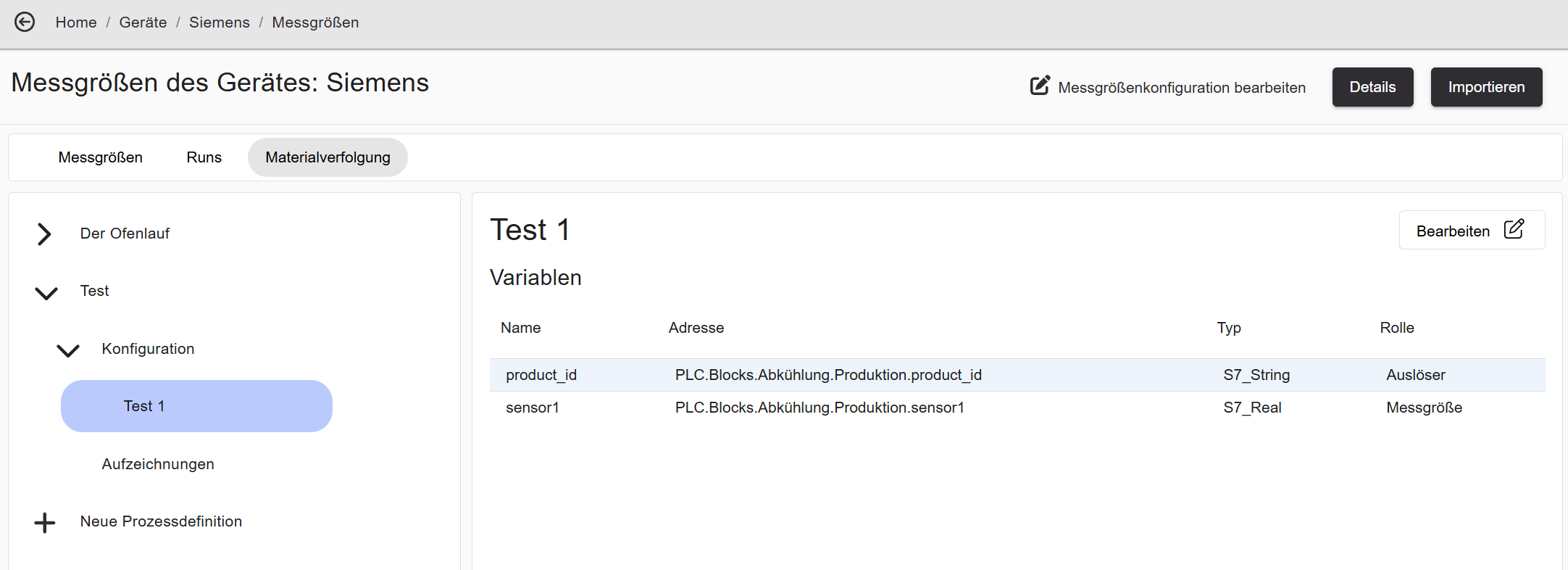
| Column | Description |
|---|---|
| Name | Name of the variable. |
| Address | PLC address of the variable. |
| Type | Data type of the variable (e.g. S7_String, S7_Real). |
| Role | Auslöser (trigger) or Messgröße (measurement). |
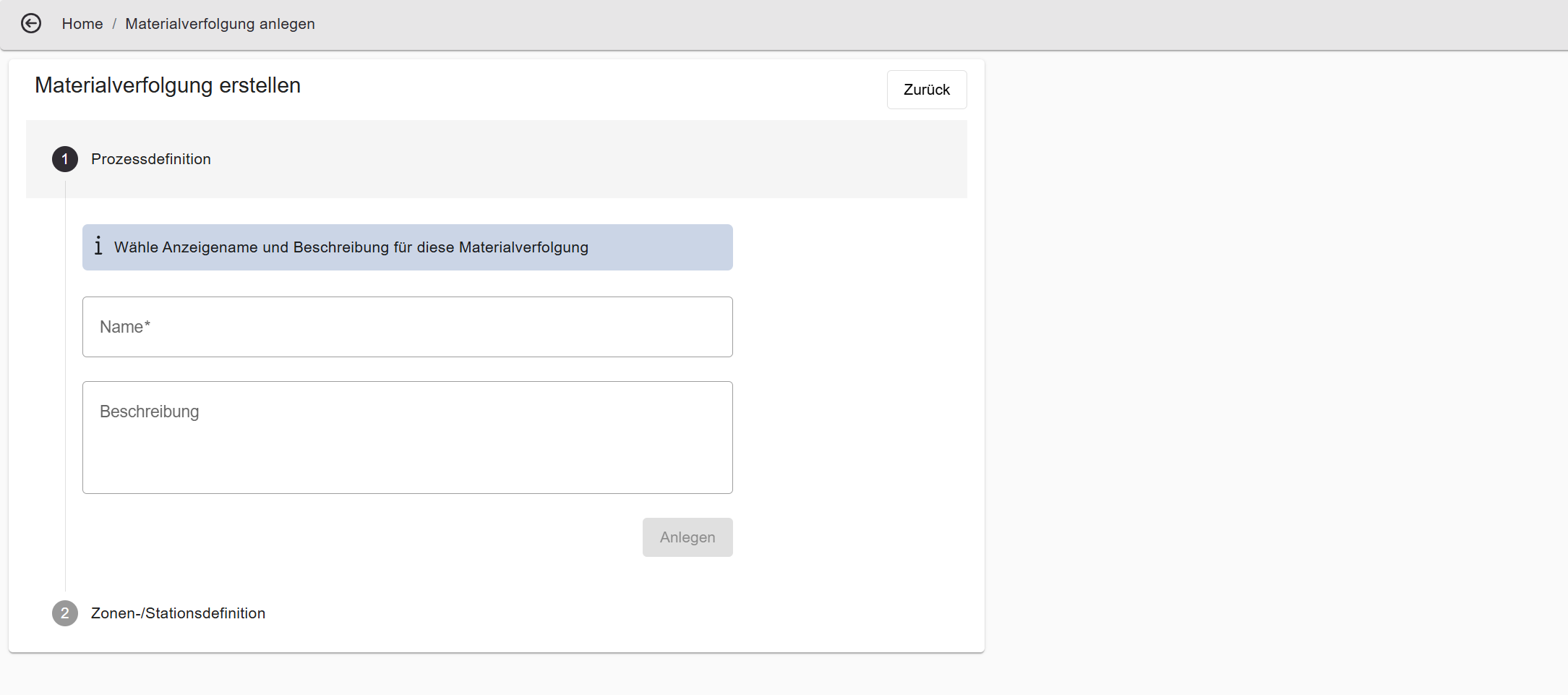
Step 1 — Process Definition
Section titled “Step 1 — Process Definition”| Field | Description |
|---|---|
| Name | Required — unique name for the process definition. |
| Description | Optional free-text field. |
| Create / Save | Creates the process definition or saves changes. |
| Delete | Permanently deletes the entire process definition. |
Step 2 — Zone/Station Definition
Section titled “Step 2 — Zone/Station Definition”| Element | Description |
|---|---|
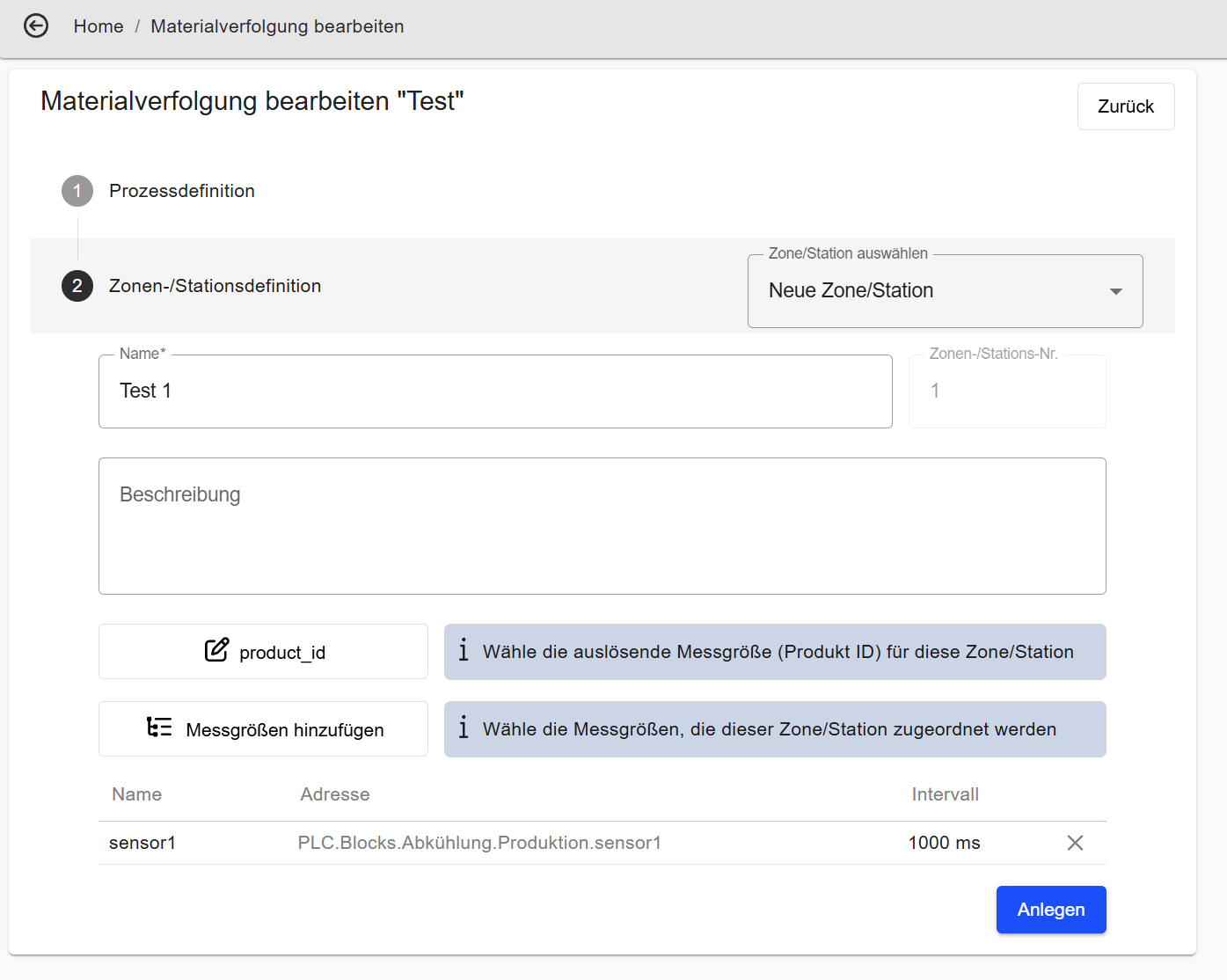
| Zone/Station selector | Dropdown to navigate between existing zones/stations or add a new one. |
| Name | Required — unique name for the zone/station. |
| Zone/Station No. | Assigned automatically; determines the order within the process. |
| Description | Optional free-text field. |
| Is last station | Marks this zone/station as the exit gate. A workpiece is considered COMPLETED once it passes through this station. |
| Select trigger | Selects the variable whose value change signals a workpiece entering this zone/station. |
| Add measurements | Adds variables whose values are recorded for each workpiece at this station. |
| + New Zone/Station | Adds another zone/station. |
| Create / Save | Saves the current zone/station. |
| Delete Zone/Station | Removes the zone/station from the process definition. |
Recordings (Aufzeichnungen)
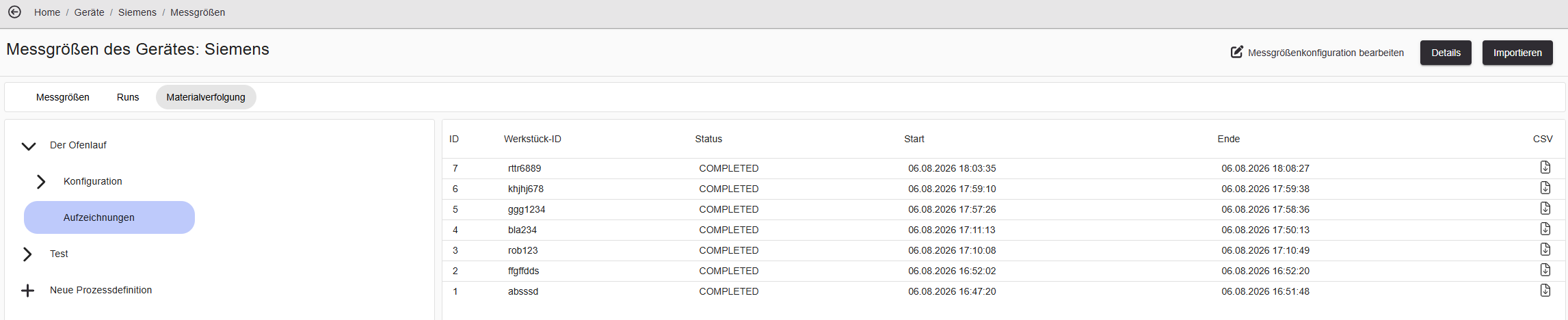
Section titled “Recordings (Aufzeichnungen)”The Aufzeichnungen view shows all recorded workpiece runs for the process definition.
| Column | Description |
|---|---|
| ID | Internal recording ID. |
| Workpiece ID | Identifier of the workpiece, derived from the trigger value. |
| Status | RUNNING, COMPLETED, or ERROR. |
| Start | Time at which the workpiece passed through the first station. |
| End | Time at which the workpiece left the last station (exit gate). |
| CSV | Downloads the recording as a CSV file. |
Each recording can be saved as a CSV file using the CSV icon in the last column.
For a step-by-step walkthrough including recording status: Set Up Material Tracking & Runs.
Runs enable measurement-based, time-based, or alarm-based recording of variable values.
Overview
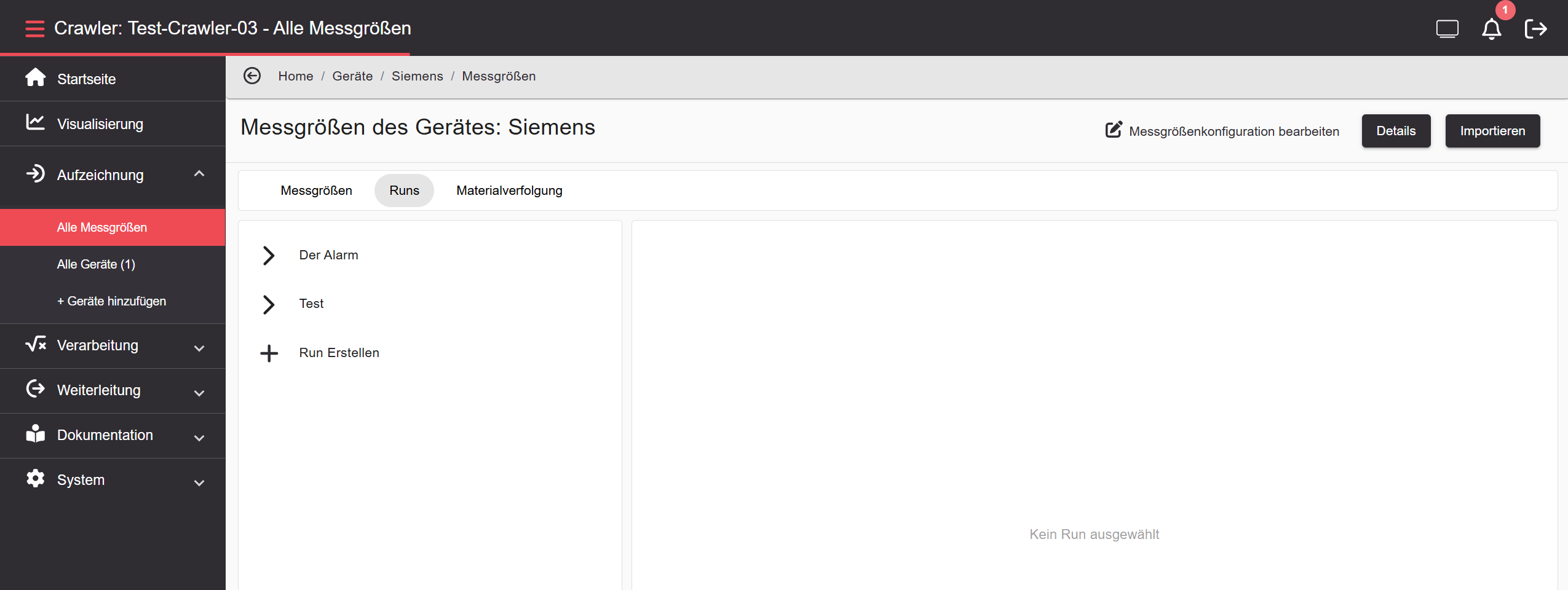
Section titled “Overview”The left sidebar lists all configured runs. Click + Run Erstellen to create a new run. Clicking a run entry shows its configuration; clicking Runs below it shows the recording list.
Run Configuration — Measurement-based
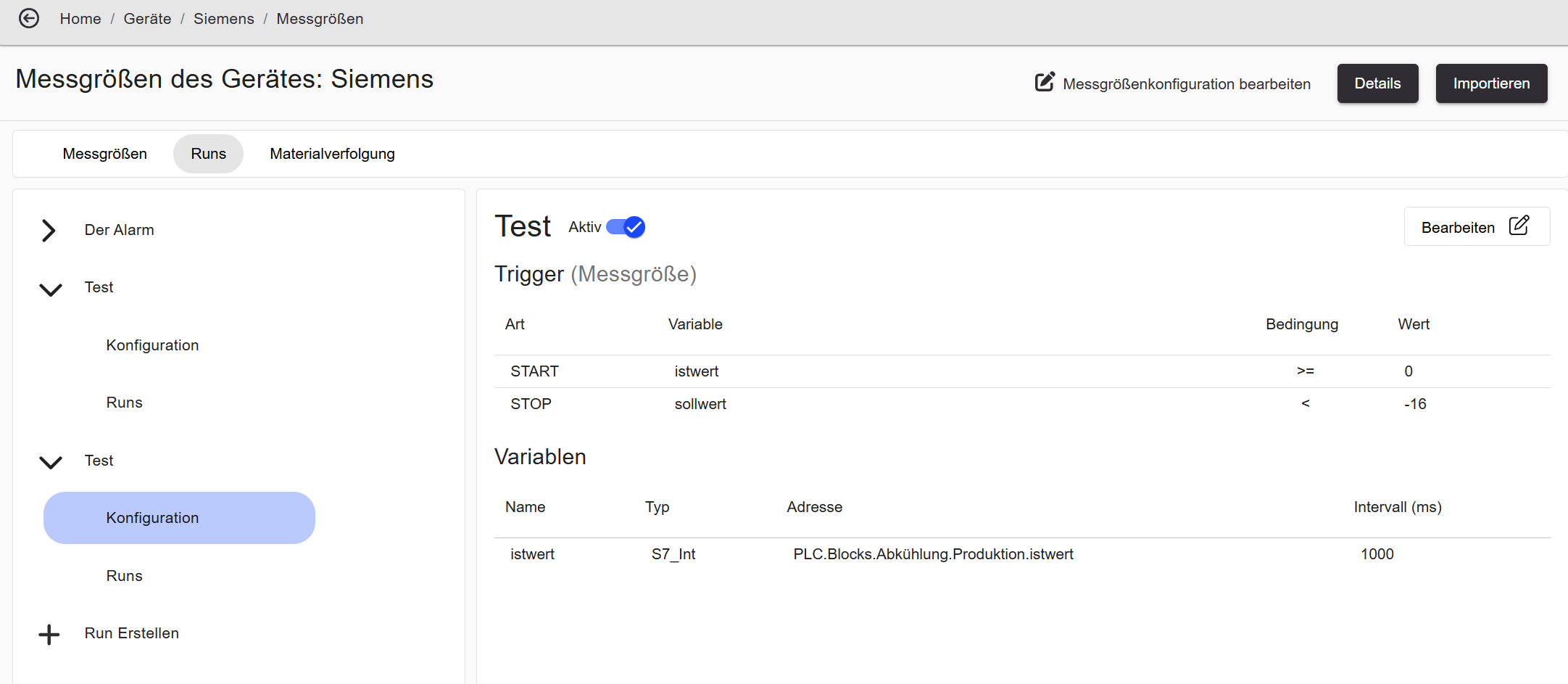
Section titled “Run Configuration — Measurement-based”A measurement-based run starts and stops when a variable crosses a defined threshold.
| Element | Description |
|---|---|
| Active | Enables or disables the run. |
| Trigger (Messgröße) | Trigger type. |
| Type | START or STOP. |
| Variable | Trigger variable. |
| Condition | Comparison operator (e.g. >=, <). |
| Value | Threshold value. |
| Variables | Measurements recorded during the run. |
Run Configuration — Alarm-based
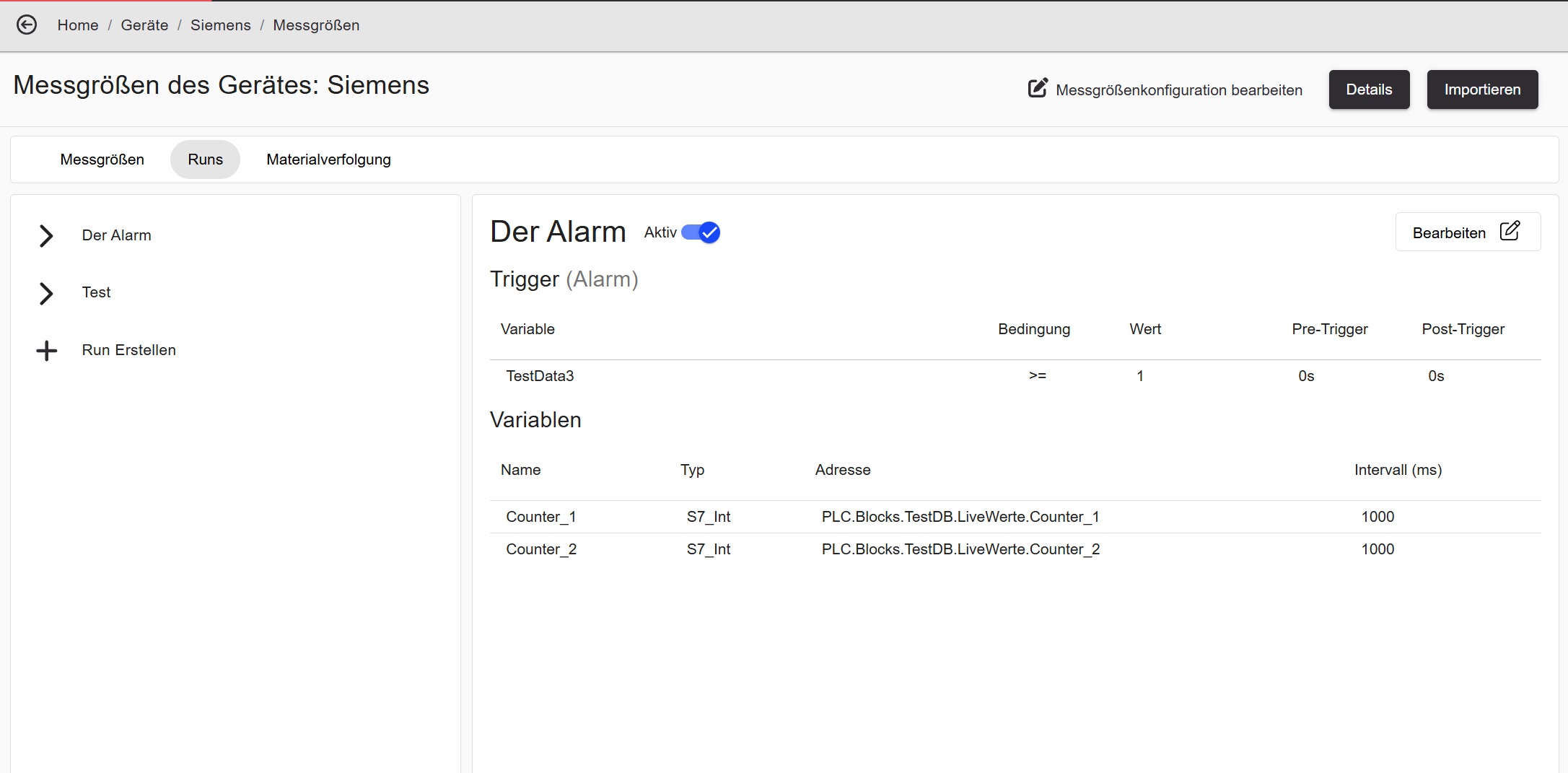
Section titled “Run Configuration — Alarm-based”An alarm-based run starts and stops when an alarm condition on a variable appears or disappears.
| Element | Description |
|---|---|
| Active | Enables or disables the run. |
| Trigger (Alarm) | Trigger type. |
| Variable | The measurement variable monitored for the alarm condition. |
| Condition | Comparison operator. |
| Value | Threshold value for the alarm condition. |
| Pre-Trigger | Time period before the alarm event included in the recording. |
| Post-Trigger | Time period after the alarm event ends included in the recording. |
| Variables | Measurements recorded during the run. |
Runs List
Section titled “Runs List”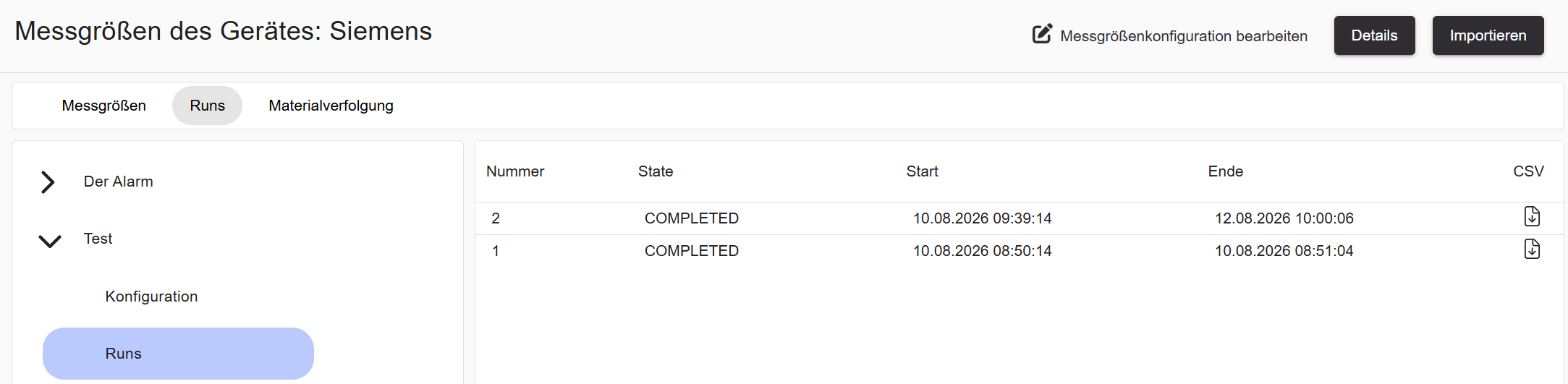
| Column | Description |
|---|---|
| Number | Sequential run number. |
| State | RUNNING or COMPLETED. |
| Start | Start time of the recording. |
| End | End time of the recording. |
| CSV | Downloads the recording as a CSV file. |
Each recording can be saved as a CSV file using the CSV icon.