

Heatmap
The Heatmap shows how data points are distributed across two dimensions. The plot area is divided into buckets (grid cells), and each bucket is colored based on how many points fall into it — making clusters, gaps, and density patterns easy to spot.
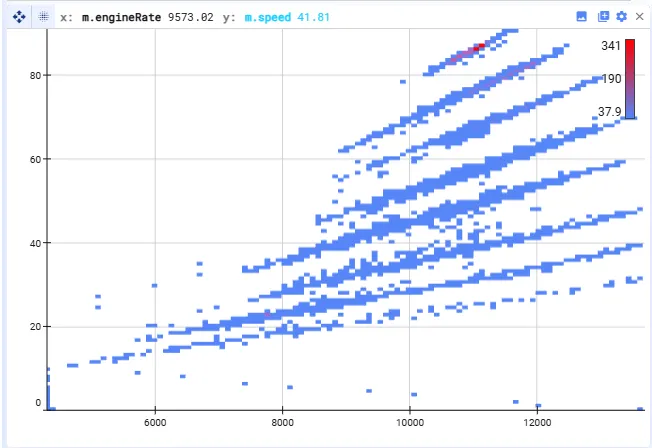
How to read it (with default colors):
- Blue = fewer points in a bucket
- Red = more points in a bucket
- Buckets between these extremes are shaded on a blue-to-red gradient
Settings
Section titled “Settings”Accessible via the settings wheel at the top-right of the plot:
- X and Y axes — select which variables define the horizontal and vertical dimensions
- Plot limits — the limits on the x or y axis, or auto to take the min/max from the data
- Resample signals — relevant when your signals have different timestamps; see Resampling for more details
- Color range — change the lower and upper colors (default is blue–red) or the bucket count fraction; buckets with fewer points than a specified fraction of the most populated bucket are shown in the lower color, buckets with more are shaded on a gradient up to the upper color
- Opacity — the opacity of the plot
- Filters — filter data points based on conditions