

Login to Edge Device
From Companion 1.3 onwards, a login is required to access settings, updates, and other protected functions on an Edge device. This login is separate from the Hub login and applies per device.
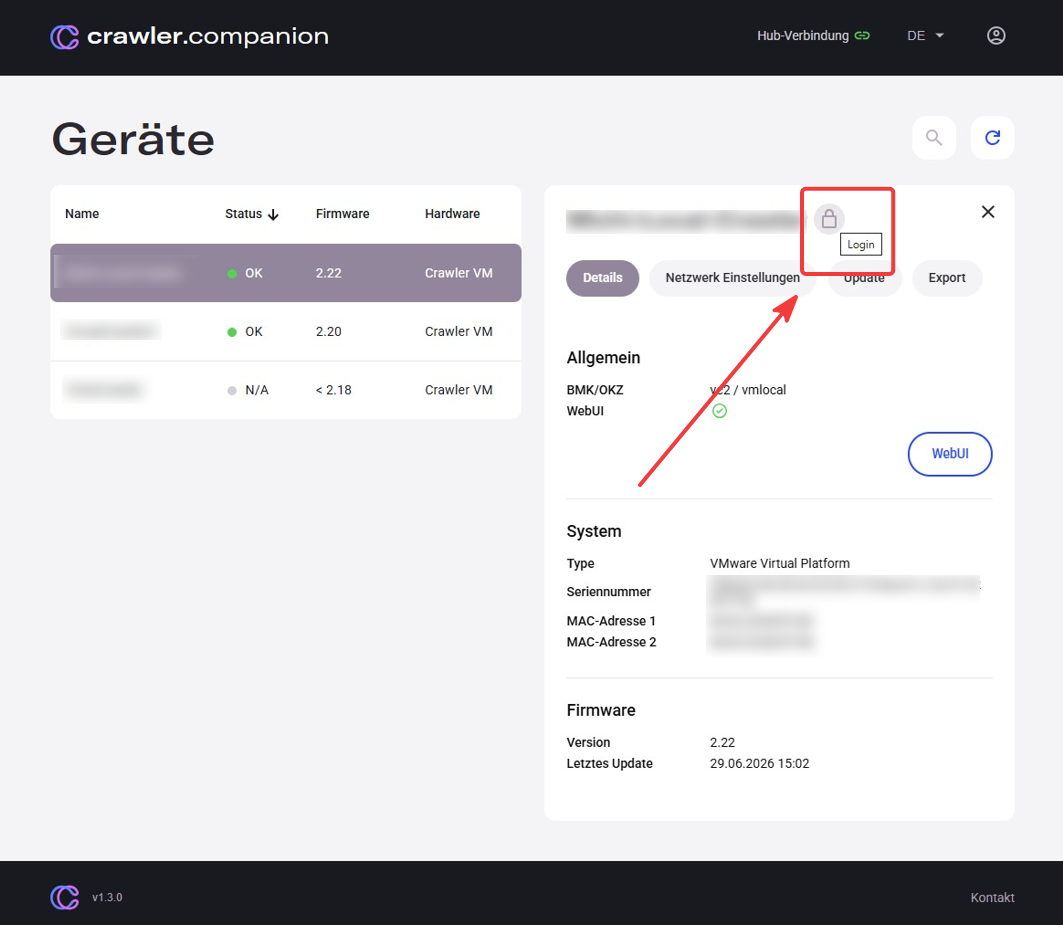
A lock icon in the top-right corner of the detail panel shows the current login state. Click it to open the login dialog.
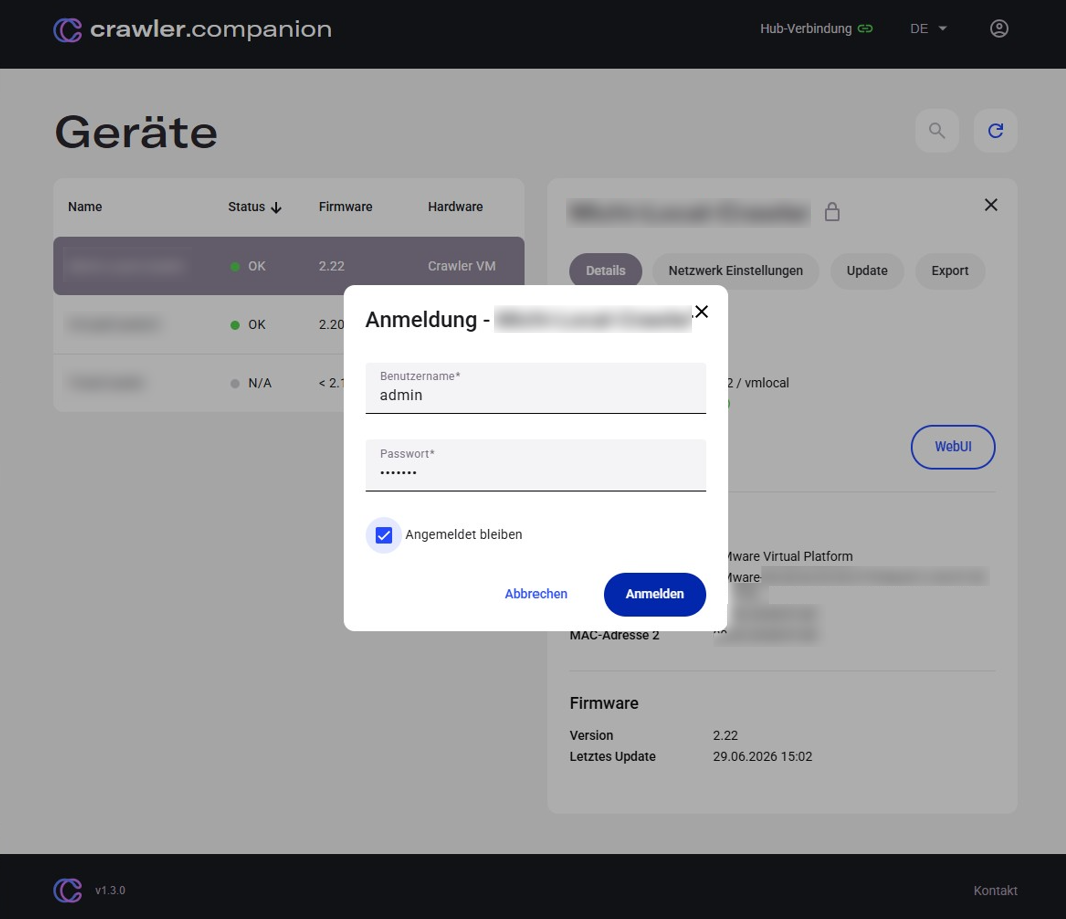
Enter the device credentials and confirm. To stay signed in, enable Stay signed in — the password is then stored in the operating system keystore for the current OS user. The device is unlocked automatically on the next Companion start.
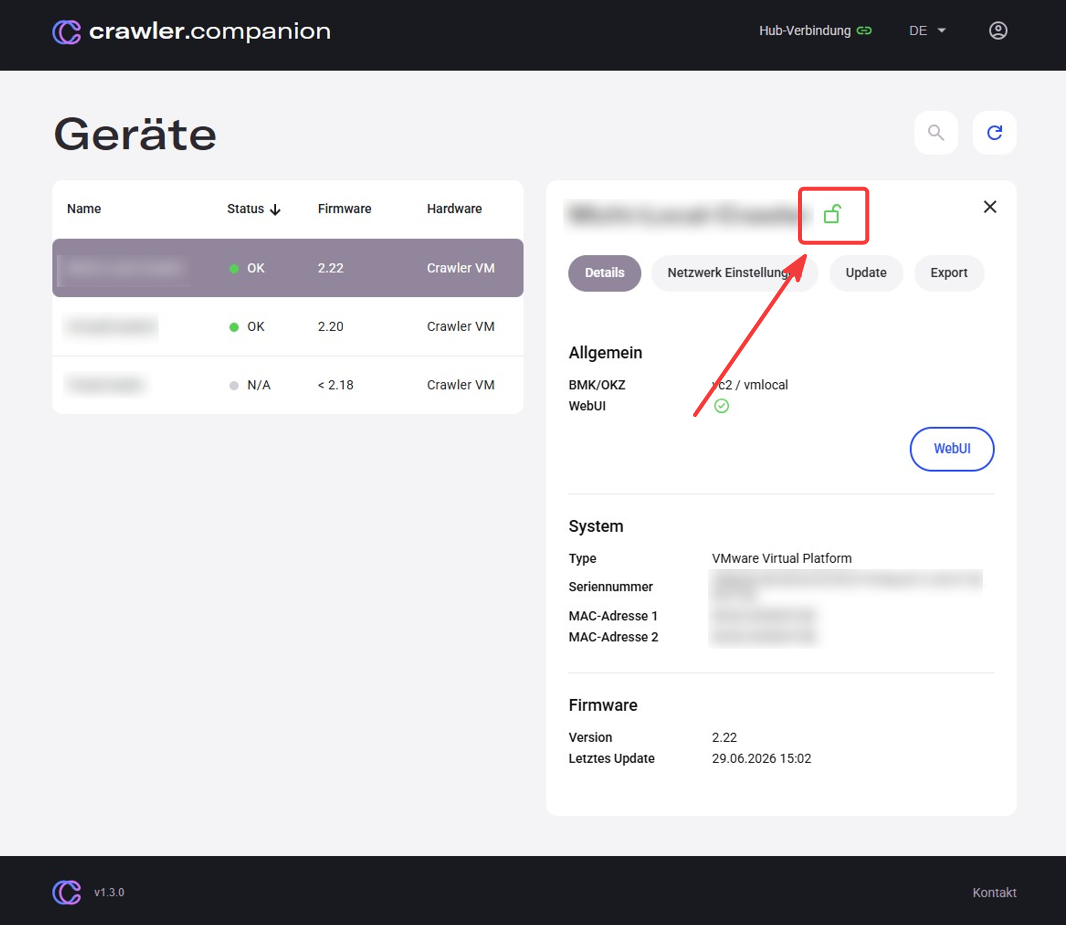
When signed in, the lock icon turns green. Click it to sign out.
An explicit sign-out also removes any stored credentials from the OS keystore. Closing Companion ends all device sessions automatically, but does not remove stored credentials — the device will be unlocked again on the next start if Stay signed in was enabled.