Export image
There are two ways to export a plot:
- Export a single plot
- Export multiple plots from a project in bulk
Export a single image
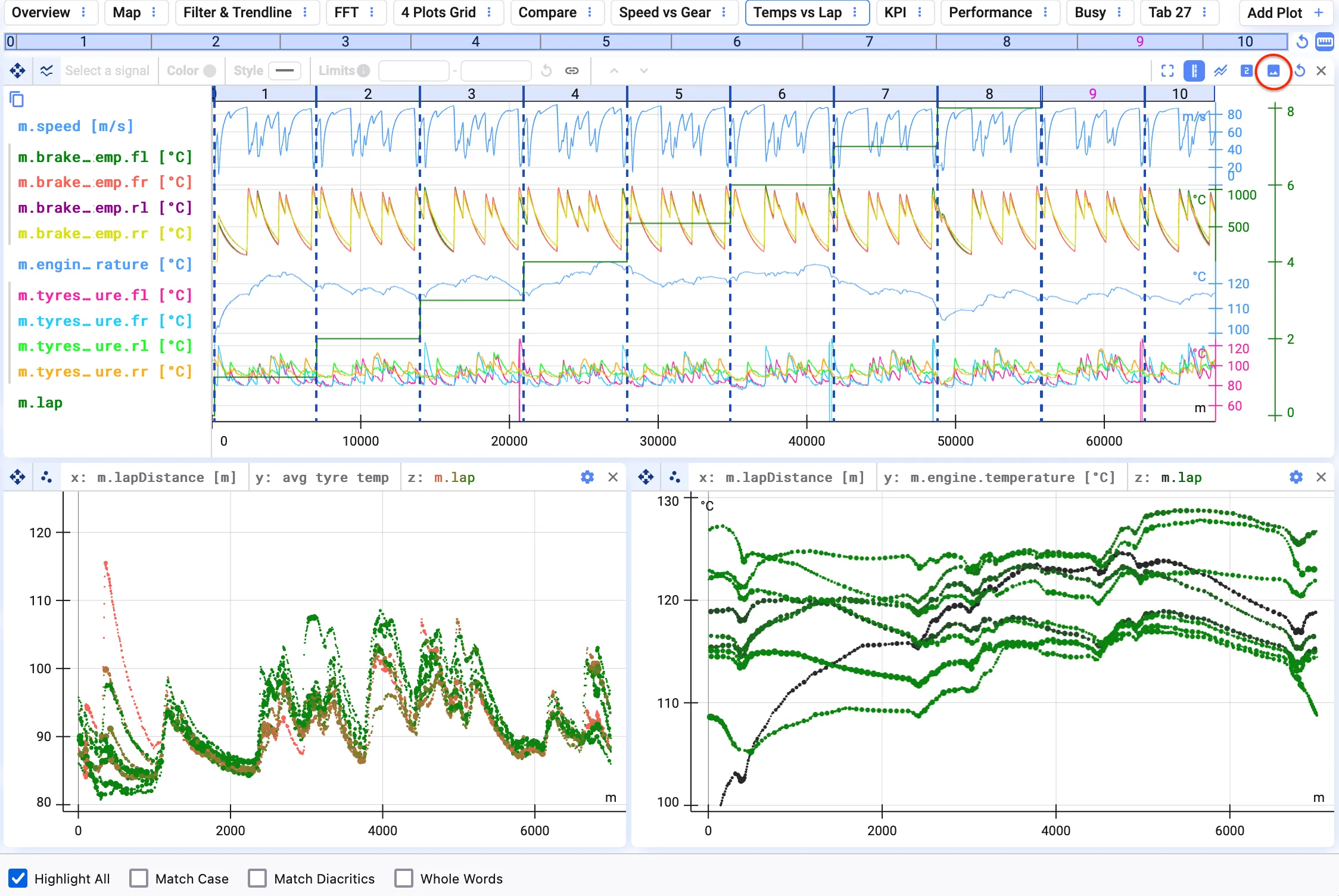
Section titled “Export a single image”To save a static image of your current visualization for use in another context, use the export plot feature in the toolbar above the plot.
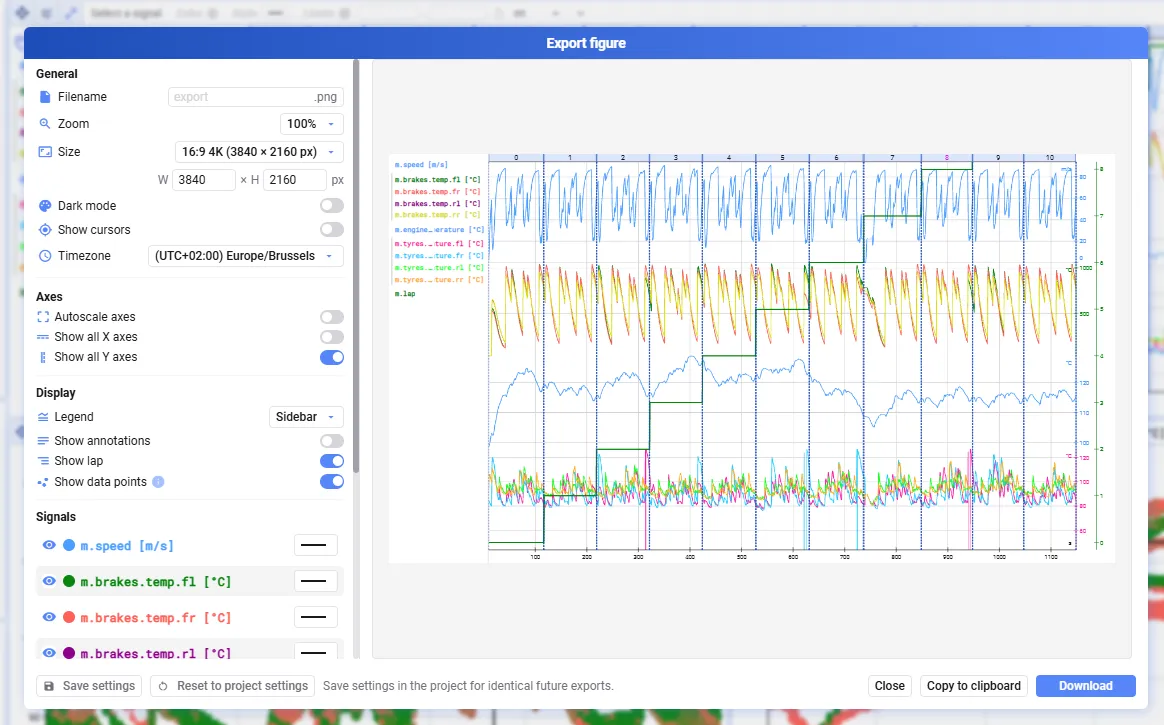
A dialog then opens where you can configure the image you’re exporting:
- General settings — filename, zoom, figure size, dark mode, enable/disable cursors, time zone
- Plot-specific settings, depending on your plot type
Save your export settings (bottom left) to reuse them later or in a bulk export.
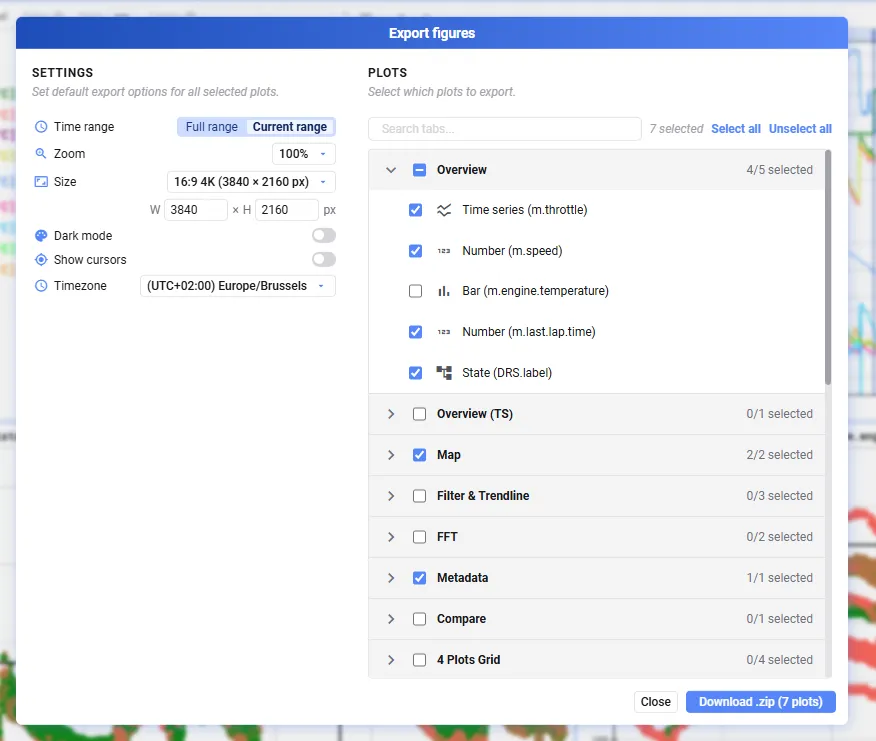
Bulk export
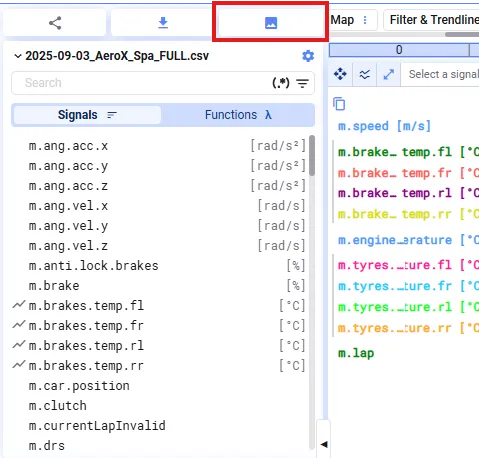
Section titled “Bulk export”Export multiple plots from a project — for example, to reuse them in another reporting tool — by clicking the export button in the top-left.
Set general settings and select the plots to include in your export. The download contains a .zip file with an export of all selected plots.