




 Insight
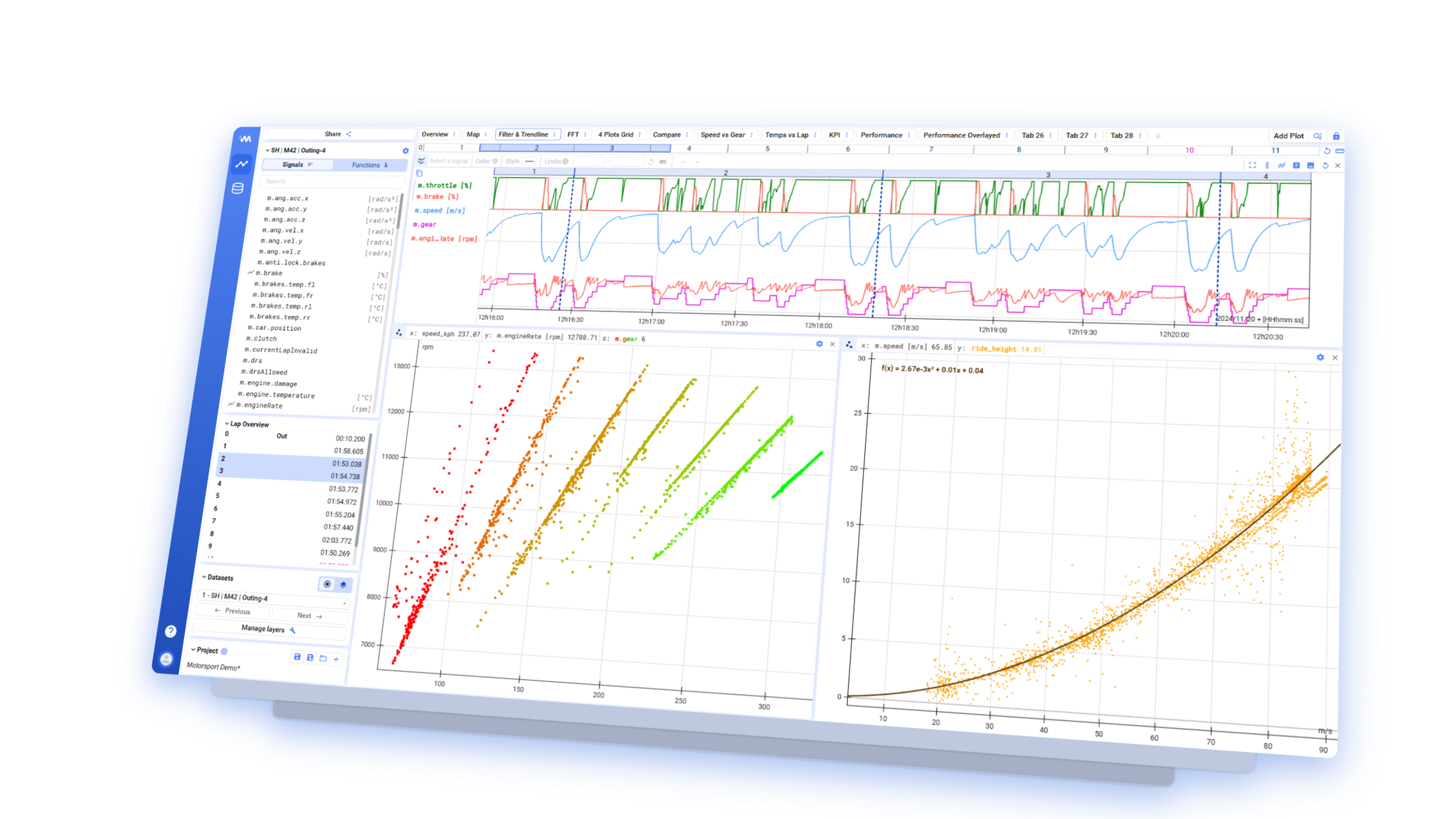
Deepview is Invisyne’s analysis tool for engineers and service teams. It enables interactive exploration of high-frequency time-series data captured by Edge devices — combining root-cause analysis, deviation detection, and cross-machine comparison in a single interface.
Connected to the contextual data model of Hub, Deepview turns raw sensor recordings into structured findings. It is designed to help teams answer the questions that matter operationally: why a machine failed, whether a measured value falls within normal bounds, and what changed between two production runs.
Powered by Marple Insight
Section titled “Powered by Marple Insight”Deepview is built on Marple Insight, the analysis platform of our partner Marple. This partnership brings you the analysis capabilities described here, seamlessly integrated into Invisyne.
Why Deepview
Section titled “Why Deepview”Analyzing high-frequency test and measurement data usually means engineers writing one-off scripts to load a file, plot a few signals, and repeat the process by hand for every new question. Deepview replaces that with a web-based workspace built specifically for time-series data: connect once, then explore interactively — no re-running scripts for every new question.
Deepview reads data directly from the databases behind Hub, so there is no separate export or file-handling step between recording a signal on the Edge device and analyzing it.
Who Deepview is for
Section titled “Who Deepview is for”Deepview is built for engineers and service teams working with sensor data from industrial machines — commissioning engineers validating a new installation, service technicians diagnosing a fault, or engineering leads comparing performance across a fleet of machines.
Frequently asked questions
Section titled “Frequently asked questions”What data sources does Deepview support?
Section titled “What data sources does Deepview support?”Deepview connects to the time-series and asset data managed by Hub. There is nothing to configure — your data is already connected when you open Deepview.
Can I combine data from multiple machines in one view?
Section titled “Can I combine data from multiple machines in one view?”Yes — Deepview is designed to let you bring signals from several Edge devices into the same analysis, so you can compare an entire installation rather than one machine at a time.
Does Deepview use AI?
Section titled “Does Deepview use AI?”Deepview includes AI-assisted features, such as automatically suggesting visualizations based on what you are looking at and answering questions about your data directly. We continue to expand these capabilities.