

Logout
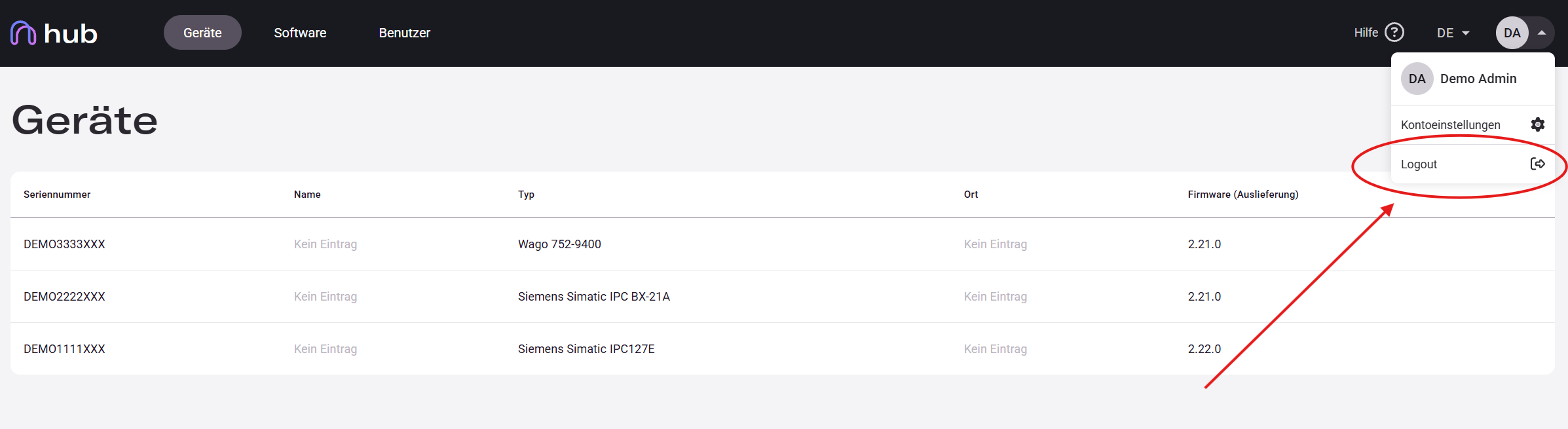
Your profile menu is always accessible in the top-right corner of the interface. It shows your initials and gives you quick access to account settings and logout.
Signing Out
Section titled “Signing Out”-
Click your profile icon (showing your initials) in the top-right corner.
-
A dropdown menu opens with two options: Account Settings and Logout.
-
Click Logout to sign out and return to the login page.
Session Timeout
Section titled “Session Timeout”Hub automatically logs you out after a period of inactivity to protect your account. When this happens, you are redirected to the login page. Log back in with your usual credentials to continue.
You can access the documentation at any time via the Help link in the header menu. It opens the Invisyne Docs site in a new tab.