

Realtime
Deepview supports visualizing realtime data.
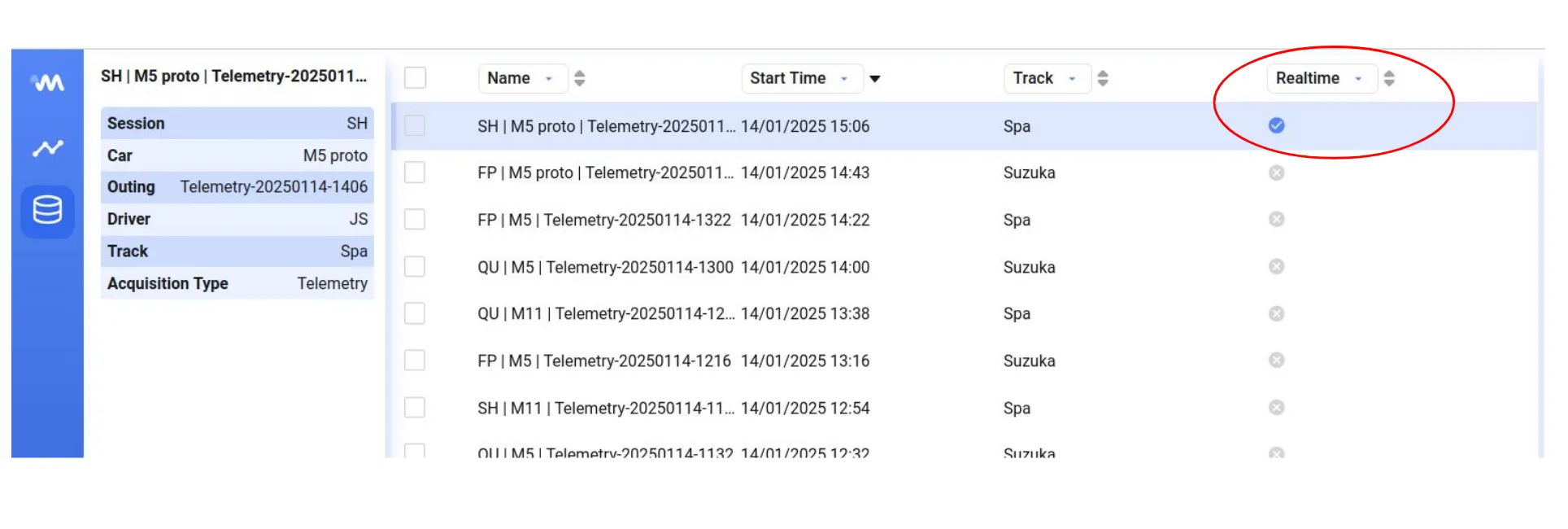
If a data set is realtime, the realtime metadata field is True, and a blue checkmark shows in the data library.
Live mode
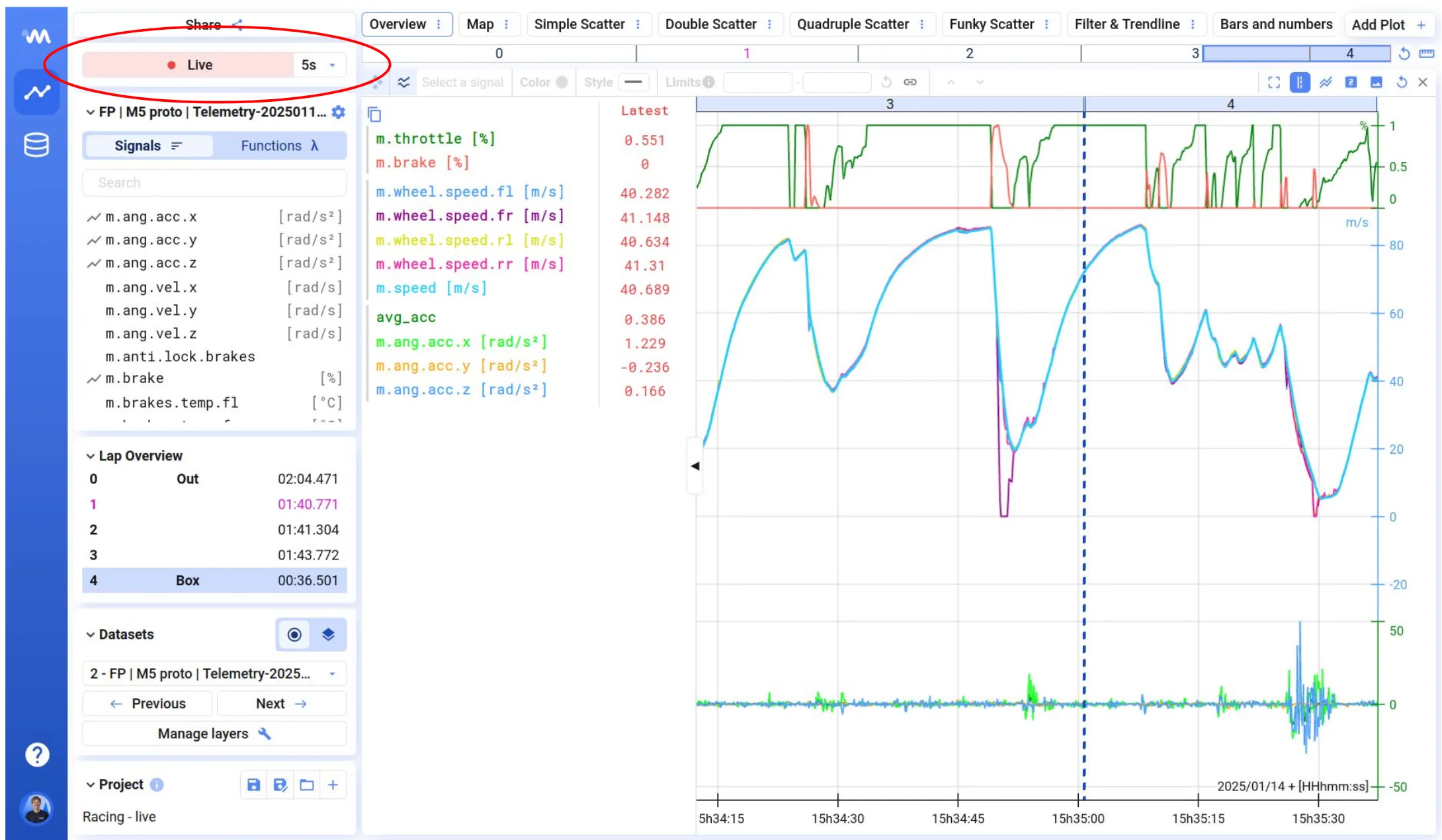
Section titled “Live mode”If you select a realtime data set to visualize, the time axis updates automatically and new data appears. A Live banner shows at the top-left of the screen to indicate the data is live.
Refresh rate
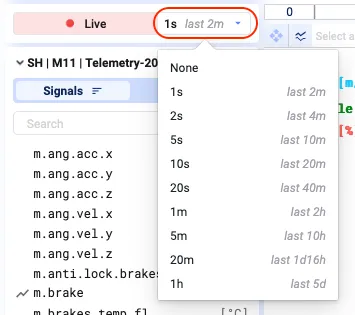
Section titled “Refresh rate”By default, the refresh rate is 1s. To change it, click the dropdown next to the Live banner and set the desired refresh rate.
Next to the refresh rate, you’ll see in grey the maximum view of data you can visualize at the chosen refresh rate.
Disable live mode
Section titled “Disable live mode”To disable the live view of realtime data, set the refresh rate to None. The Live banner then shows the Resume status.
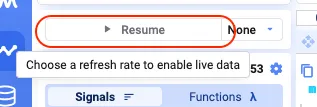
You can now analyze the data from the realtime data set like any other data set. Resume live mode by selecting a refresh rate other than None.
Easily toggling live mode on and off, and treating realtime data like any other data set, is very powerful.