

Text data
You can recognize text signals by their Text datatype.
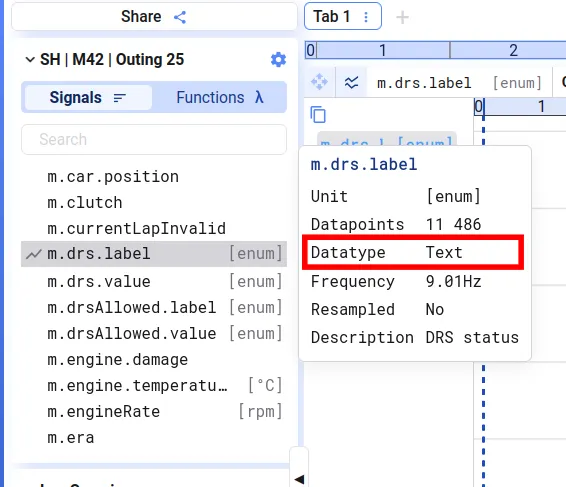
Text signals can be added to Time Series plots. They don’t show up as an extra line on the plot, but their value at the cursor is displayed along with the other cursor values.
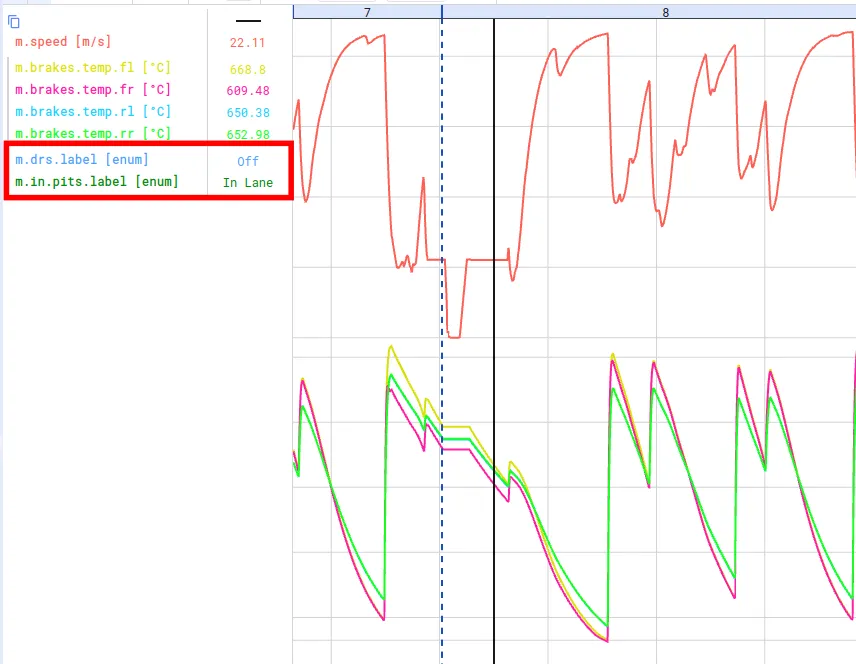
Converting between number and text signals
Section titled “Converting between number and text signals”If you want to visualize how a text signal evolves over time, you can create a function to convert the different text values to numbers and plot that function. A similar formula can be used to create a text signal from a discrete numeric signal.
Here’s an example that converts a discrete state_code signal to a text signal state_name (using PostgreSQL syntax — see Custom functions):
Text to number:
CASE WHEN [[state_name]] = 'Fault' THEN -1 WHEN [[state_name]] = 'Idle' THEN 0 ELSE 1ENDNumber to text:
CASE WHEN ([[state_code]]::int) = 0 THEN 'Idle' WHEN ([[state_code]]::int) = 1 THEN 'Running' ELSE 'Fault'END