

Metadata
The Metadata Plot shows the metadata of the currently open data set — useful to know exactly what information is attached to it.
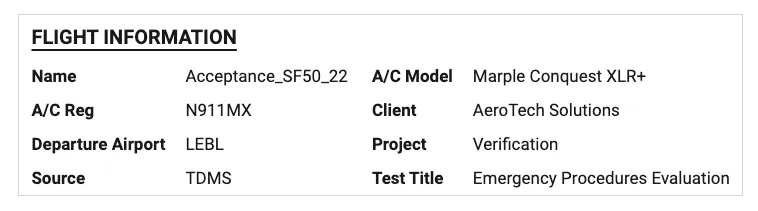
You can also use the Metadata Plot within other Deepview tooling, like Reports or Export image. It can show two types of text:
- Metadata — dynamically changes according to the metadata in your data set, e.g. machine, operator, test name
- Static text — stays the same, and changes according to the project you have open, e.g. project name, verification phase, main editor
Settings
Section titled “Settings”Accessible via the settings wheel at the top-right of the plot:
- Title — default is “Metadata Plot”
- Columns — has an “Auto” toggle, or a manual number entry
- Box — show the Metadata Plot in a boxed visual format
- Field & Value — item-specific settings; from here, you can e.g. edit the text on a static text entry
- Add + buttons — add a new row of either metadata or static text