Overview
Overview dashboards are in active development — we welcome your suggestions and feedback.
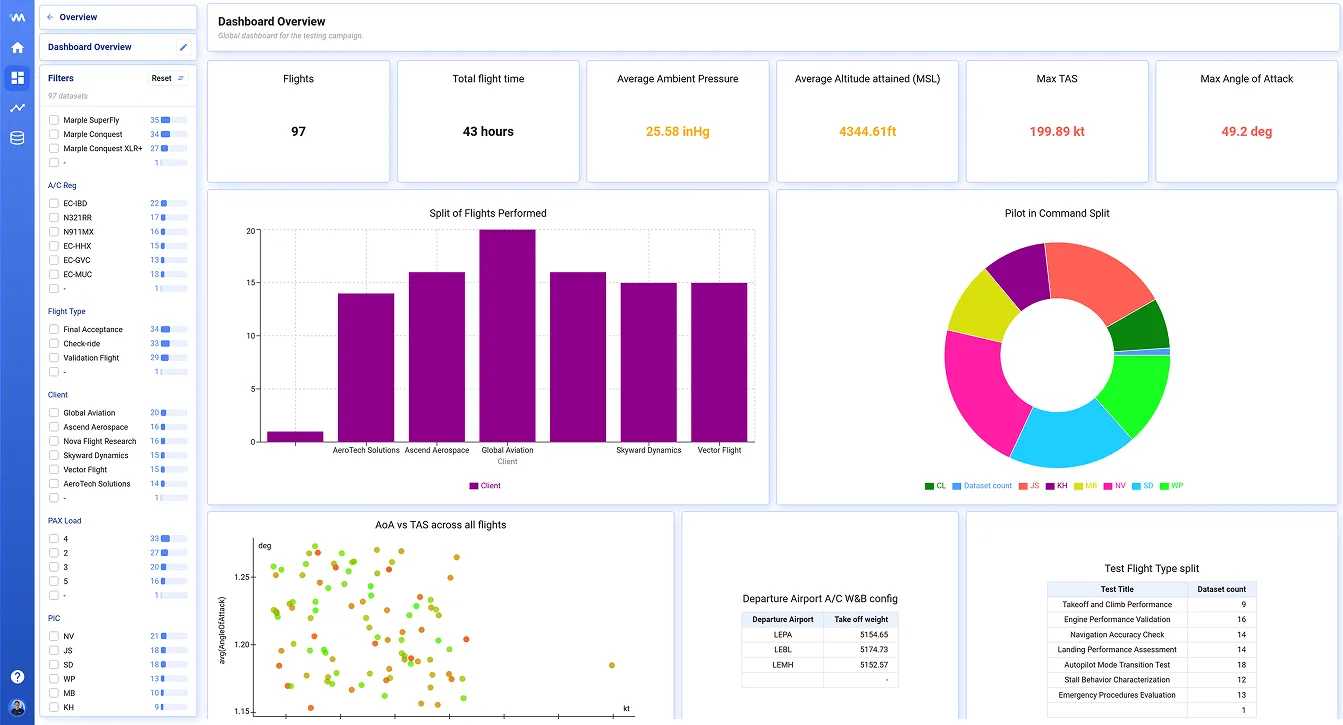
Overview dashboards are one of Deepview’s most powerful features, letting you interact with all your data sets in a single view. For example, you can build a dashboard to track the progress of a test campaign:
Plot types
Section titled “Plot types”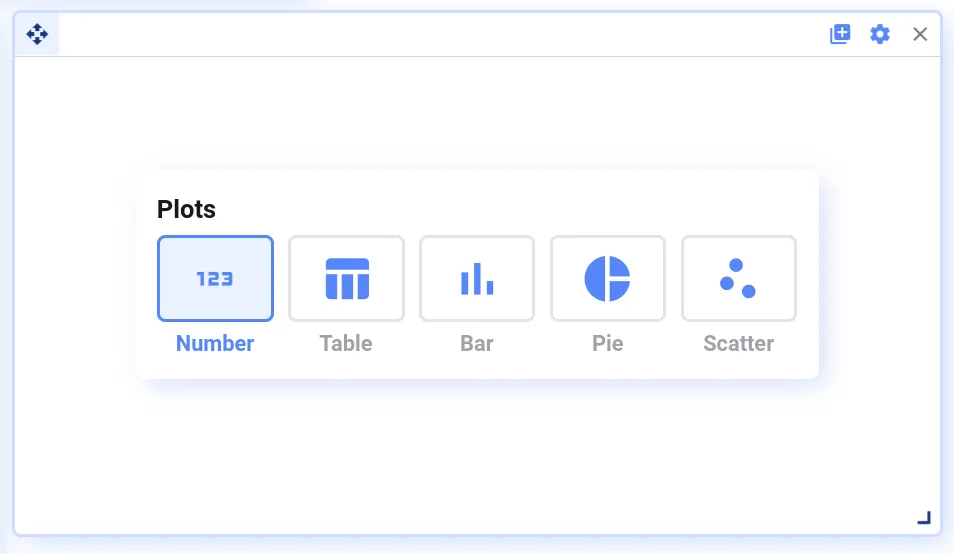
Currently, the following plot types are supported:
- Number plots — show one aggregated value across all data sets, e.g. total runtime [h]
- Table, Pie, and Bar plots — show multiple aggregate values grouped by a second value, e.g. average motor temperature for low, medium, and high load cases
- Scatter plots — show two aggregates as a single dot per data set, e.g. maximum vibration vs. maximum temperature for every data set
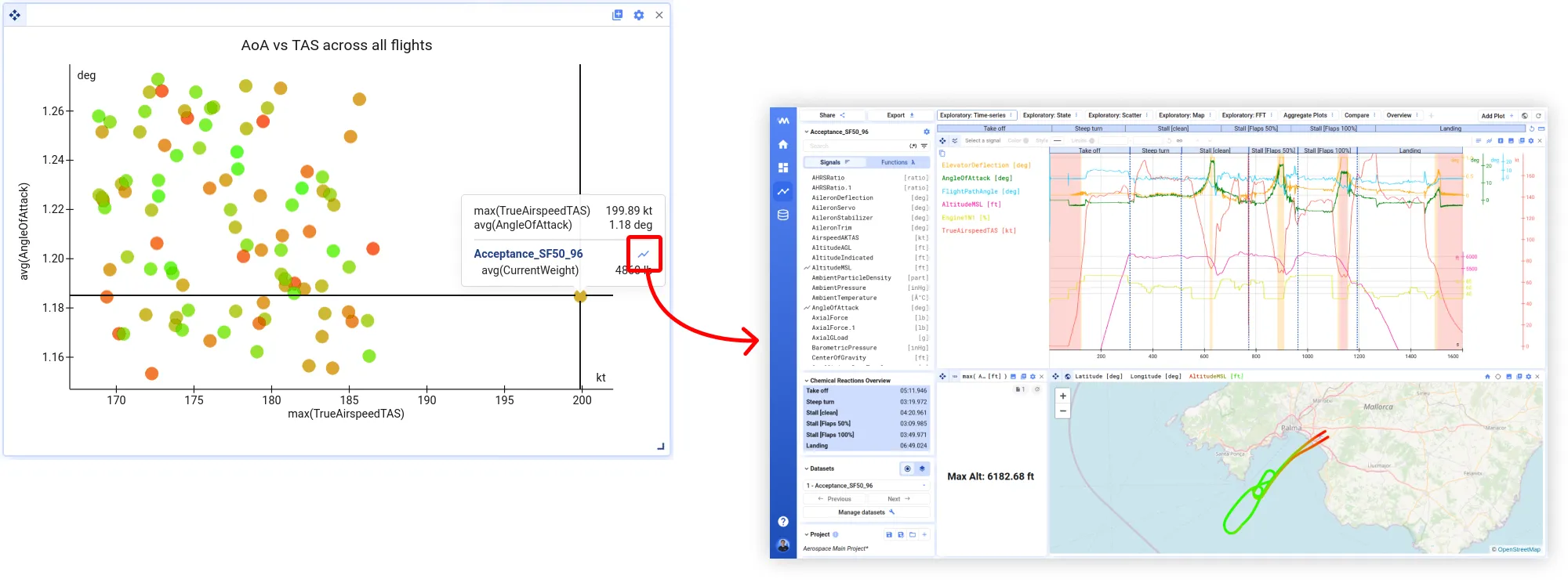
Scatter plots can be used to identify outliers — click the visualize icon to open a data set for deeper analysis.
You can build your plots based on:
- Raw signal values from your data sets, e.g.
speed,temperature - Math channels derived from raw signals, e.g.
temperature_fahrenheit— see Functions - Data set metadata, e.g.
operator,location
Filtering
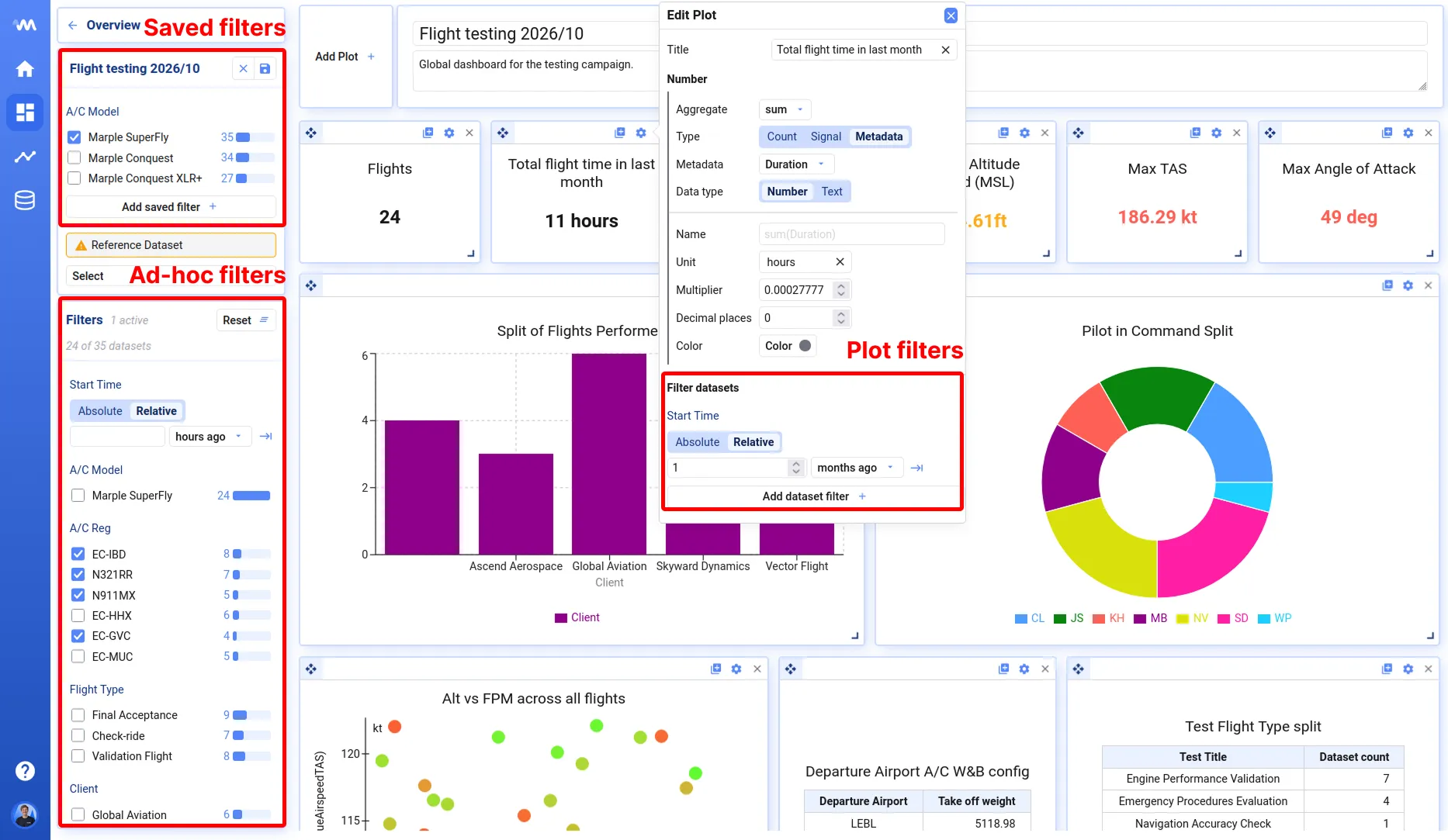
Section titled “Filtering”Overview dashboards let you filter the data sets you want to see, on three levels:
- Saved filters — make a primary selection of which data sets should appear on the dashboard
- Ad-hoc filters — useful to quickly dive into a subset of the data; reset whenever you open the dashboard from scratch
- Plot filters — apply extra filtering at the plot level; also saved as part of the dashboard definition
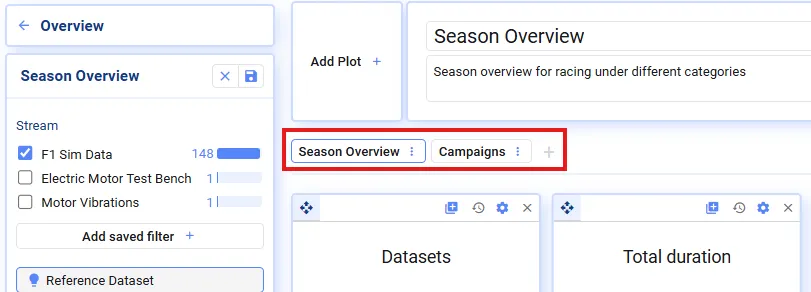
Divide your plots across multiple tabs for a better overview.
In edit mode, you can add, delete, rename, and duplicate tabs.