

Export Data
Crawler.Companion gives you two ways to get measurement data off an Edge device — without needing a browser or direct access to the device’s web interface.
Edge devices record measurement data continuously. Exporting lets you retrieve that data — either as a CSV file for local processing, or directly into Deepview for visual analysis.
A run is a defined measurement session stored on the device — it has a clear start time and end time. Runs are created automatically when the device starts and stops a recording. Exporting by runs lets you pick specific sessions instead of filtering by a time range.
Deepview is a browser-based analysis tool that visualizes signal data as interactive charts. It is connected to your Hub account and lets you explore and compare measurements in detail. When you export to Deepview, Companion transfers the data directly — results open in your browser, no additional software required.
The Deepview option is only available when your Hub account has Deepview access enabled. If it is grayed out, contact your administrator.
Both methods let you choose between two export formats:
CSV — saved as a file on your PC · Deepview — opens directly in browser, no additional software required
Use this method when you want to export all signal data recorded within a specific start and end time — regardless of individual runs.
-
Select a device
Click on the device in the list to open its detail panel.
-
Open the Export tab
In the detail panel, click the Export tab.
-
Select “Zeitraum”
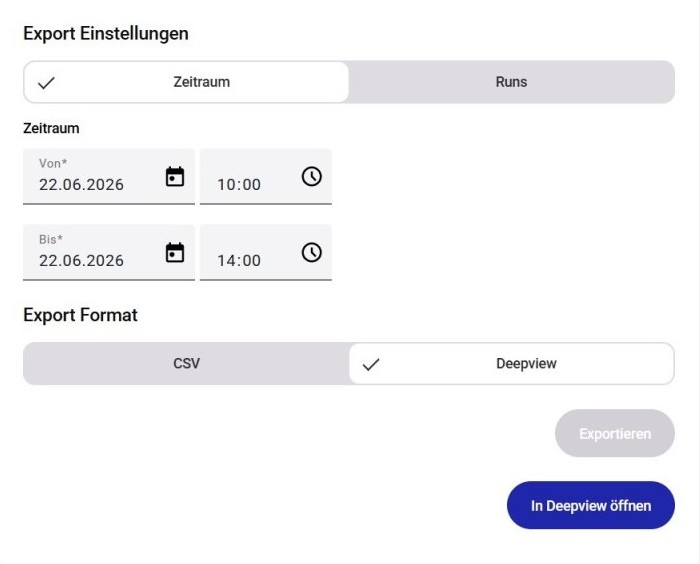
Make sure the Zeitraum (Time Range) tab is active in the Export settings.
-
Set the time range
Enter a Von (From) and Bis (To) date and time.
-
Select the export format
Under Export Format, select CSV or Deepview. For CSV, a Speicherpfad field appears showing the default save location. Click the pencil icon to choose a different folder.
-
Start the export
Click Exportieren.
-
Open Deepview (Deepview only)
Once the export is complete, an In Deepview öffnen button appears. Click it to open the data in Deepview.
Use this method when you want to export one or more specific measurement sessions. Each selected run is exported separately, which makes it easy to compare individual recordings or share a specific session.
-
Select a device
Click on the device in the list to open its detail panel.
-
Open the Export tab
In the detail panel, click the Export tab.
-
Select “Runs”
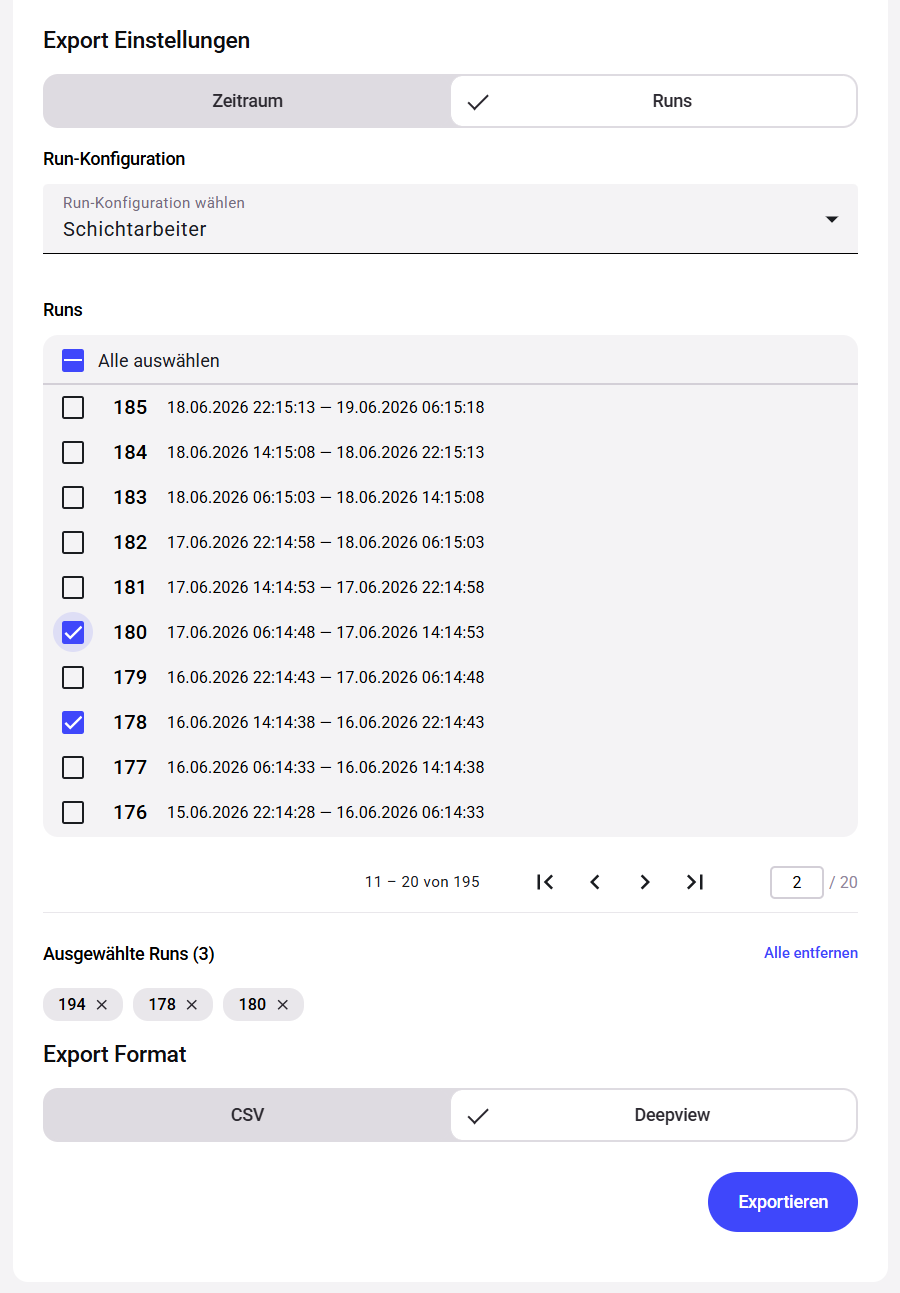
Click the Runs tab in the Export settings. The list shows all completed runs stored on the device, with their start time, end time, and duration.
-
Select one or more runs
Check the runs you want to export from the list.
-
Select the export format
Under Export Format, select CSV or Deepview. For CSV, a Speicherpfad field appears showing the default save location. Click the pencil icon to choose a different folder. With CSV, each selected run is saved as a separate file.
-
Start the export
Click Exportieren.
-
Open Deepview (Deepview only)
Once the export is complete, an In Deepview öffnen button appears. Click it to open the data in Deepview.