



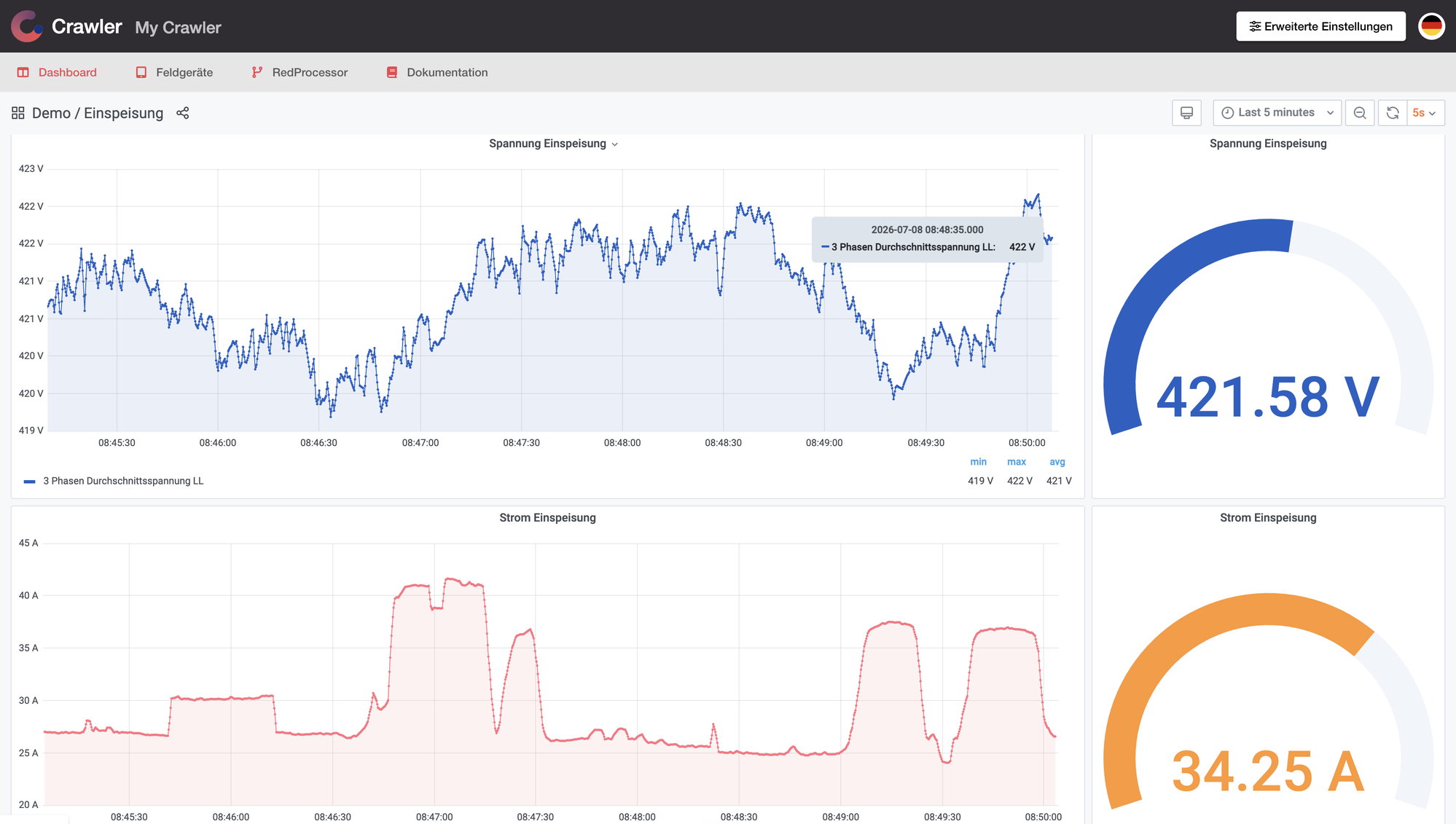
Edge (Crawler) is a compact industrial edge computing device that captures, evaluates, visualizes, and forwards machine data in real time — directly at the source, without relying on a central server. It combines control technology, gateway functionality, an extensible app platform, and a browser-based interface in a single unit.
It works equally well in connected and air-gapped environments. Edge (Crawler) comes with pre-installed connectivity for SIEMENS controllers, Modbus devices, OPC UA, and MQTT, and can be extended with additional apps for specific use cases such as condition monitoring, load management, or cloud connectivity. It scales from a single machine to enterprise-wide production digitalization.
Edge (Crawler)
The digital memory of your machine or asset.
Edge devices run continuously at the machine and are managed through a browser-based web interface. Crawler.Companion lets you configure and update multiple devices centrally, over the local network.
Functional Scope
Section titled “Functional Scope”Records data from connected machines and controllers in real time — continuously and without interruption.
Processes and visualizes captured data directly on the device, without requiring an external server.
Pre-installed drivers for SIEMENS controllers, Modbus devices, OPC UA, and MQTT. Additional protocols can be added as needed.
All configuration and monitoring is done via the built-in web interface — no additional software required.
Optional extension for monitoring machine health and detecting anomalies based on continuously recorded data.
Record defined measurement sessions — triggered by alarms, external signals, time, or intervals — and export them as CSV.
Supported Hardware Platforms
Section titled “Supported Hardware Platforms”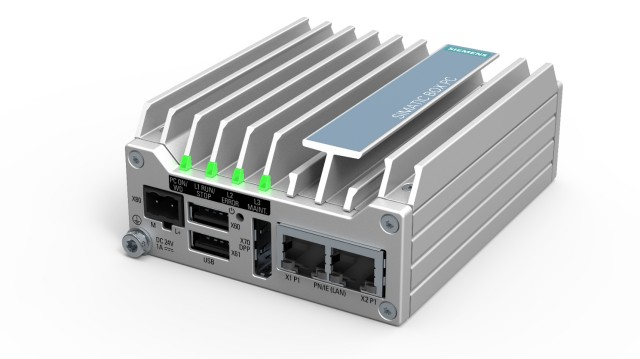
Industrial PC for control cabinet mounting — fanless, compact form factor. Intel Atom E3940 Quadcore, 4 GB RAM, 64 GB storage, 2× Ethernet, 2× USB 3.0.
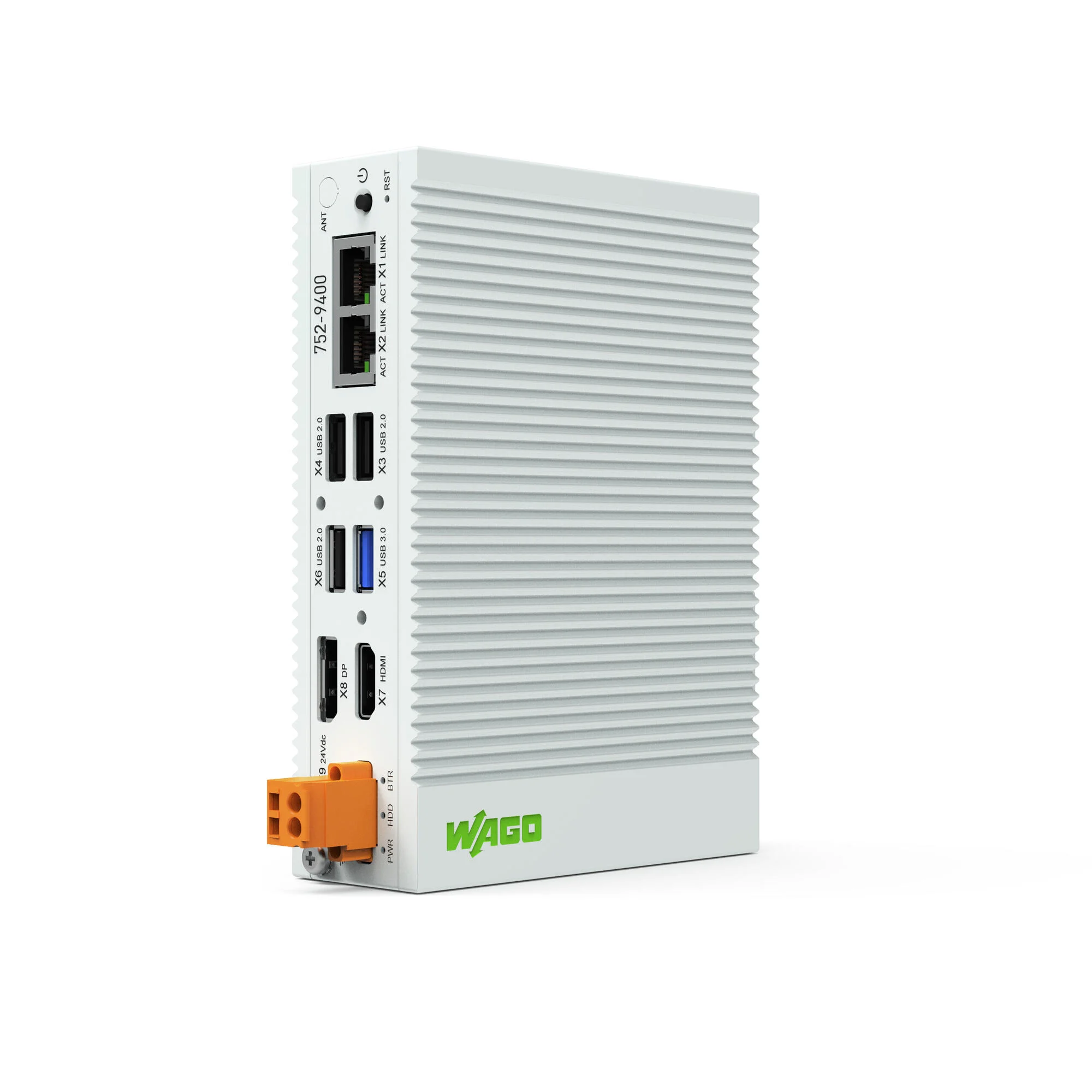
DIN rail controller, suitable for space-constrained installations. Intel Atom E3845 Quadcore, 4 GB RAM, 64 GB storage, 2× Ethernet, 4× USB.
Safety Notes
Section titled “Safety Notes”Incorrect network settings can make the device unreachable. Only edit these if you are familiar with IP addresses and subnet masks.
Ensure stable power supply to the Edge device before and during a firmware update.
The web interface should only be accessible within the intended network. Restrict access where possible.