Initial Setup
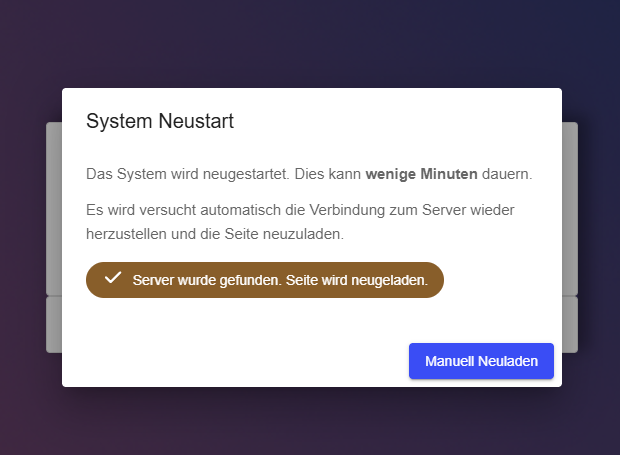
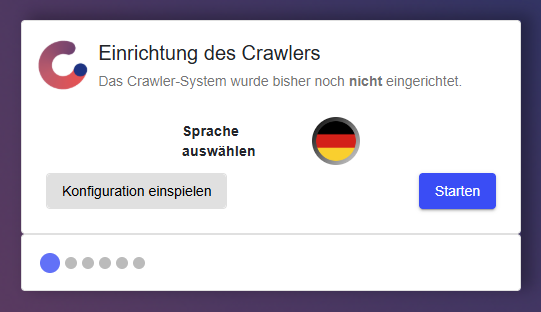
The initial setup of the Edge is guided by a built-in wizard that starts automatically on first use. The wizard must be completed in full before the device is operational. Once finished, the Edge restarts automatically — this process may take a few minutes.
To access the web interface, open a browser (Chrome, Edge, or Firefox recommended) and enter the device’s IP address. The factory-preset IP addresses are:
| Adapter | Default IP |
|---|---|
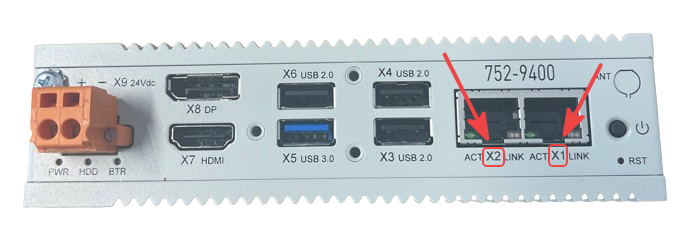
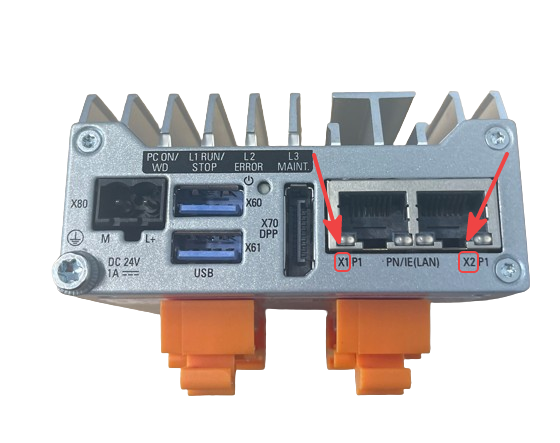
| X1 | 192.168.0.5 |
| X2 | 192.168.1.5 |
The labels X1 and X2 are printed directly on the device. Make sure to connect the cable to the correct port — the position of the connectors varies depending on the hardware variant.
If the Edge is located on a different subnet, the Discovery Tool can be used to configure the X1 adapter so that the web interface becomes accessible. The Discovery Tool is part of Crawler.Companion — see Companion: Initial Setup for installation instructions.
-
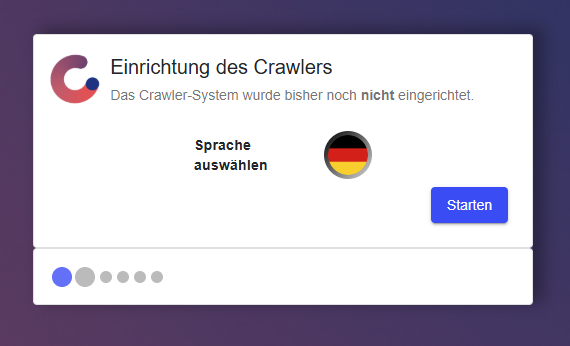
Language
The first step sets the display language for the web interface. The Edge supports German and English. This setting is browser-specific and can be changed at any time.
-
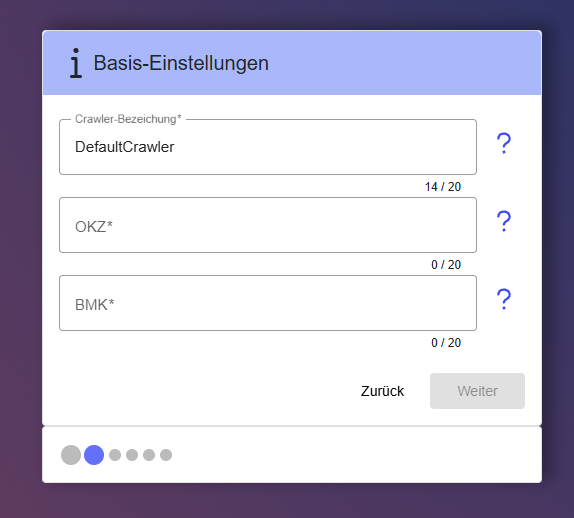
Name and Location
In this step, the device receives a unique name along with optional location identifiers. The location fields are used for organizational purposes within the network and can be updated at any time.
-
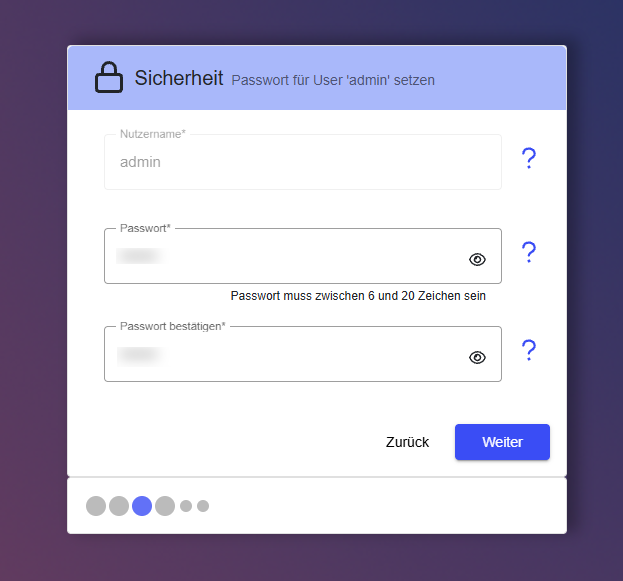
Security
In this step, a password is set for the settings area of the Edge. The password protects access to the device configuration and can be changed at any time after setup.
-
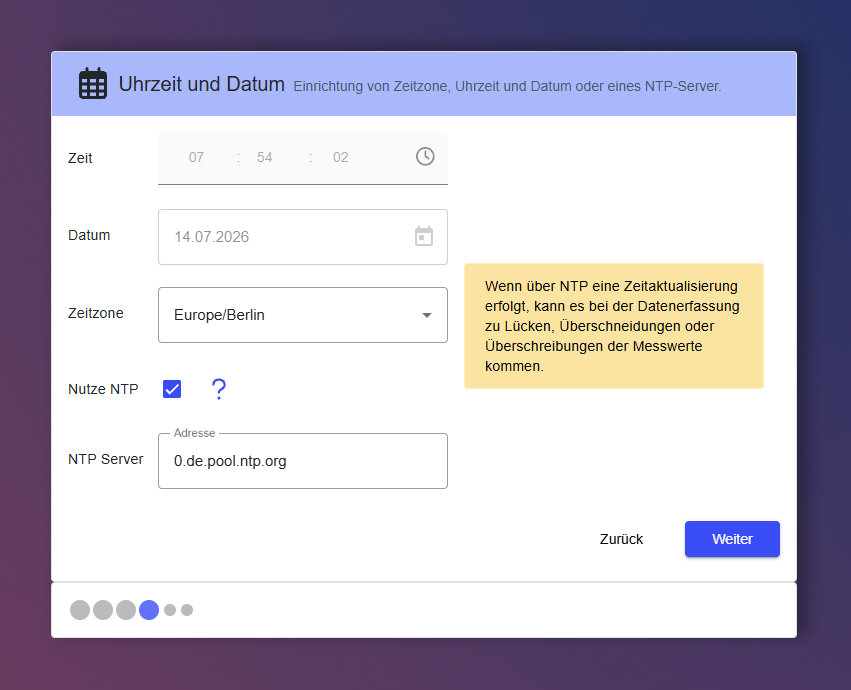
Time and Date
In this step, the time zone and synchronization mode are configured. The Edge supports both manual time entry and automatic synchronization via an NTP server.
- Automatic (NTP) — the Edge synchronizes its clock with the configured NTP server at regular intervals. The server must be reachable from the Edge network.
- Manual — time and date are entered directly. All times refer to the selected time zone.
-
Network Settings
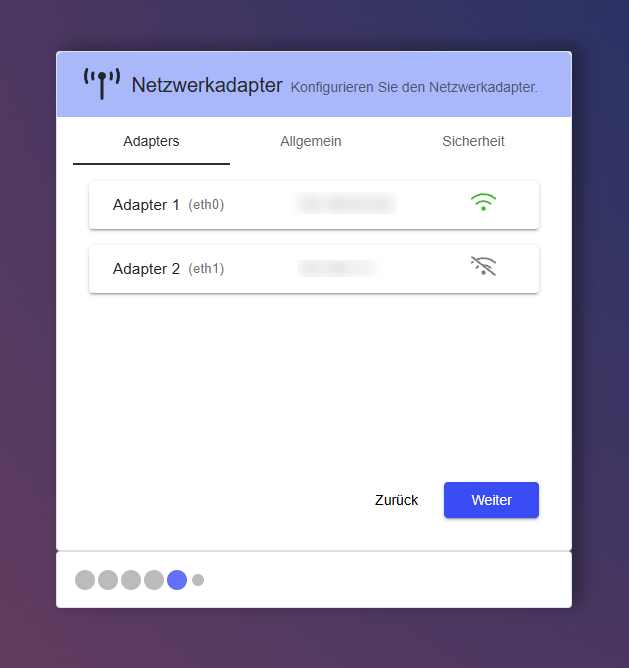
In this step, the network adapters of the Edge are configured. Depending on the hardware variant, up to two adapters are available, each with a factory-preset IP address. IP address, subnet mask, default gateway, and DHCP can be configured independently for each adapter. Domain and DNS servers can be set across all adapters; up to five DNS entries are supported.
-
Finish
The final step displays a summary of all configured settings. After reviewing the summary, click Finish — the Edge will then restart. This process may take a few minutes. Once the device is back online, data recording can be configured.
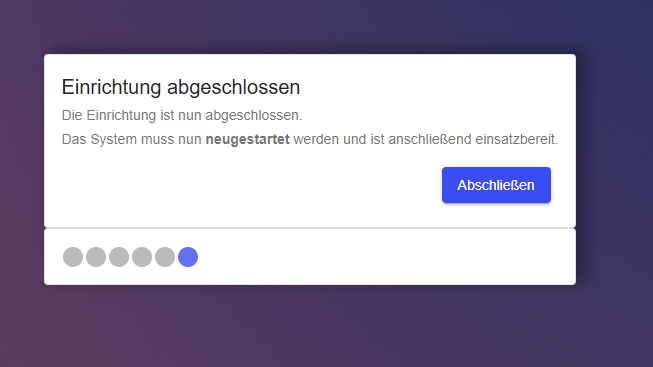
After clicking Finish, the Edge restarts automatically. A status overlay is displayed during the restart and reloads the page automatically once the device is back online.